I’ve set up books for owners who insisted on doing it themselves, and the ones who succeed all follow the same simple pattern: record every transaction, match it to the bank, and review it monthly. You don’t need accounting software to do that well — you need a system and the discipline to run it. Here’s the whole thing, plus a template to make it easier.
What manual bookkeeping for small business PDF templates actually do
Manual bookkeeping means recording your business’s income and expenses by hand — on paper or in a simple spreadsheet — instead of relying on automated software. The record is the same as any accounting system: what came in, what went out, and what you have left. A good manual bookkeeping for small business PDF template just gives that record a consistent shape.
At its core, every system tracks the same three things:
- Money in — sales and other income
- Money out — expenses, supplies, wages, and taxes
- Balance — what’s left after each transaction
Single-entry vs. double-entry bookkeeping
You’ll hear these two terms a lot. Here’s the plain difference:
| Single-entry | Double-entry | |
|---|---|---|
| How it works | One line per transaction (like a checkbook) | Every transaction hits two accounts (debit + credit) |
| Best for | Very small, simple, cash-based businesses | Growing businesses, inventory, loans, investors |
| Catches errors? | Not really | Yes — the books must balance |
| Effort | Low | Higher by hand |
Most true manual systems are single-entry because it’s realistic to keep by hand. Once you need double-entry — and most businesses eventually do — that’s usually the sign it’s time for QuickBooks Online. If you want the debit and credit rules and the five entries most businesses post, read what double-entry bookkeeping is first.
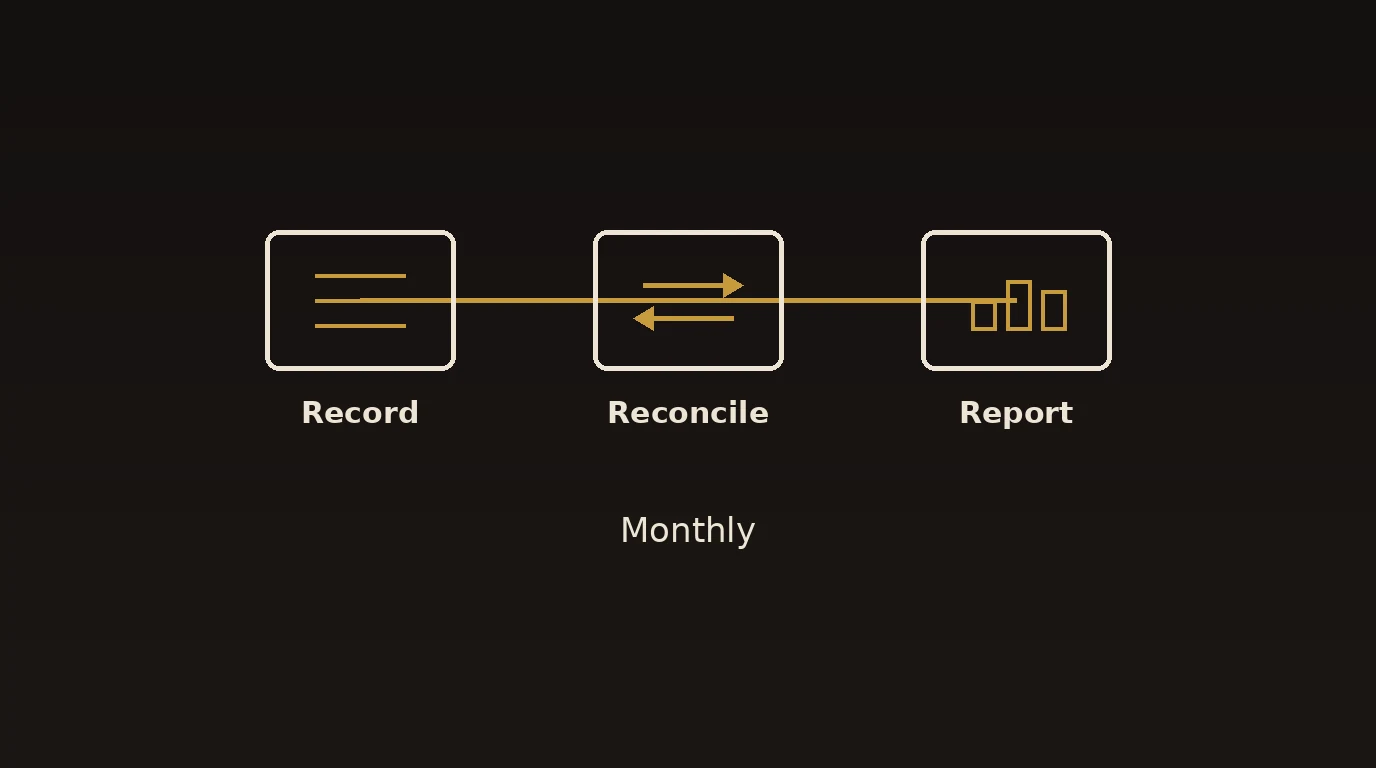
A simple manual bookkeeping system (step by step)
- Open a separate business account. One business checking account and one card. Never mix in personal spending.
- Keep a cash book. For every transaction, write the date, a description, a category, money in, money out, and the running balance. (That’s exactly the template on page one of the PDF.)
- Record as you go. Ten minutes a few times a week beats a lost afternoon at month-end.
- Reconcile monthly. Compare your cash book to your bank statement, line by line, until they match.
- File your receipts. Staple or scan them. The IRS accepts digital copies, and its guidance in Publication 583 explains what to keep.
- Review and set tax money aside. Total your income and expenses monthly, and move money for sales and income tax before you spend it.
- Close the month. Draw a line, note the closing balance, and start the next month fresh.
A worked example
Say you run a small landscaping business. A week might look like this in the cash book:
| Date | Description | Category | In | Out | Balance |
|---|---|---|---|---|---|
| May 3 | Invoice #104 paid | Sales | $600 | — | $600 |
| May 4 | Fuel | Vehicle | — | $70 | $530 |
| May 5 | Mulch supplier | Materials | — | $180 | $350 |
| May 6 | Invoice #105 paid | Sales | $450 | — | $800 |
Simple, but it answers the only questions that matter: how much came in, where it went, and what’s left. Do this every week and reconcile monthly, and your books are in better shape than most.
Benefits of a solid manual system
- Low cost. No software subscription to start.
- You learn your numbers. Writing it down builds a feel for cash flow that automation can hide.
- Simplicity. For a brand-new, low-volume business, it’s often all you need.
- Always tax-ready — if you reconcile and file receipts consistently.
Common mistakes to avoid
- Mixing personal and business money. It muddies every total and weakens your LLC protection.
- Falling behind. Manual books only work if you keep them current; a three-month gap is painful to rebuild.
- Skipping reconciliation. If your cash book doesn’t match the bank, the numbers are fiction.
- Booking sales tax as income. That money belongs to the state — track it as a liability.
- Losing receipts. No receipt, no deduction if you’re ever reviewed.
- Sticking with paper too long. Past a certain volume, manual entry causes more errors than it prevents.
Best practices that keep manual books clean
- Record transactions at least twice a week — don’t let them pile up.
- Reconcile against the bank every single month.
- Use consistent categories (see the chart of accounts in the PDF).
- Back up paper with photos, and keep digital receipts in dated folders.
- Set aside tax money monthly so it’s never a shock.
- Move to QuickBooks Online once volume, payroll, or inventory outgrows a notebook.
Why choose Numerawise Solutions
Keeping your own books is a fine place to start — but when it starts eating evenings or the numbers stop adding up, that’s our cue. At Numerawise Solutions, we help small businesses move from manual records to a clean, automated setup: we handle QuickBooks setup and cleanup, reconstruct months you’ve fallen behind on, and take the books off your plate with ongoing bookkeeping services. Pair that with payroll services and outsourced bookkeeping, and one team covers your whole back office — while you get accurate monthly reports and a real person who answers when you email.
The bottom line on manual bookkeeping for small business PDF systems
Manual bookkeeping isn’t hard — it’s a habit. Separate your accounts, keep a cash book, reconcile every month, and file your receipts. Download the manual bookkeeping for small business PDF template above, run it consistently, and you’ll always know where you stand. And the day the notebook can’t keep up, moving to software or handing the books to a pro is a short, painless step.
Key takeaways
- Manual bookkeeping records money in, money out, and a running balance — by hand or in a spreadsheet.
- Most hand-kept systems are single-entry; growing businesses eventually need double-entry.
- The habits that matter: separate accounts, weekly recording, monthly reconciliation, filed receipts.
- Download the free PDF template to start today.
- When volume outgrows paper, switch to QuickBooks or outsource the books.
Quick answers.
Is there a free manual bookkeeping for small business PDF template?
Yes — you can download our free template from this page. It includes a one-page cash book (date, description, category, money in, money out, running balance), a monthly bookkeeping checklist, and a starter chart of accounts. Print it and fill it in by hand, or copy its structure into a spreadsheet.
What is manual bookkeeping?
Manual bookkeeping is recording your business income and expenses by hand — on paper or in a basic spreadsheet — rather than using automated accounting software. You log each transaction, keep a running balance, and reconcile against your bank statement. It works well for small, low-volume businesses that stay disciplined about recording and reviewing.
Can I run a small business without accounting software?
Yes, especially early on. A simple cash book and consistent habits can keep accurate books for a low-volume business. The trade-offs are time and a higher chance of errors as you grow. Most owners eventually move to software once transactions, payroll, or inventory make manual entry impractical.
What’s the difference between single-entry and double-entry bookkeeping?
Single-entry records one line per transaction, like a checkbook — simple and realistic to keep by hand. Double-entry records every transaction in two accounts (a debit and a credit) so the books must balance, which catches errors. Growing businesses, and any with loans, inventory, or investors, generally need double-entry.
How do I keep manual books accurate?
Record transactions at least twice a week, use consistent categories, and reconcile your cash book against your bank statement every month. Keep business and personal money separate, and file a receipt for every entry. Consistency is what keeps hand-kept books accurate — small and steady beats a quarterly scramble.
How long should I keep bookkeeping records?
As a general rule, keep income records, receipts, bank statements, and tax filings for at least three to four years; some payroll and tax records longer. Digital copies are accepted and make storage easy. The IRS outlines recordkeeping expectations in Publication 583, which is a useful reference for new owners.
When should I switch from manual bookkeeping to software?
Switch when recording eats real time, when reconciliations fall behind, or when you add payroll, inventory, or multiple accounts. That’s usually the point where manual entry causes more errors than it prevents. Moving to QuickBooks Online — or outsourcing the books — saves hours and improves accuracy.
Do I still need a bookkeeper if I do manual bookkeeping?
Not necessarily at first. Many owners keep their own books early on. But as the business grows, a bookkeeper catches errors, keeps you compliant, and frees up your time. Even manual keepers often bring in help for a year-end review or to migrate cleanly into accounting software.
Get a free scoping call.
Tell us what you’re working on. We respond same business day.

Ram · Founder & Principal
Founder of Numerawise Solutions, established MMXXIV in Atlanta. Intuit ProAdvisor Gold tier. Former Intuit Technical Support engineer. Has personally led two hundred accounting software conversions for US small businesses since founding the practice. Reachable directly at [email protected].
Free: The Clean-Cutover Checklist
The step-by-step checklist we use to migrate businesses to QuickBooks without losing data — bank rec, opening balances, payroll YTD, and the validation tie-out. Get it in your inbox.
No spam — just the checklist and the occasional QuickBooks tip.