Xero Conversion Services
Moving to Xero from another system? Sage, QuickBooks, FreshBooks, MYOB, or a spreadsheet you’ve outgrown — we rebuild your chart of accounts, contacts, balances, and full transaction history inside Xero, reconciled and verified against your old file.
Free scoping call · Fixed-price quote in 24 hours · ProAdvisor Gold
Made simple
Accounting software to Xero conversion, made simple
Picking a new accounting platform is the easy part. Getting your books into it without losing anything is where people start to sweat — we have watched owners put a move off for a whole year because the export felt like defusing something. If Xero is where you are headed, an accounting software to Xero conversion is the bridge between your old system and a clean start. Our professional Xero conversion services handle that bridge end to end, for businesses moving in from any platform.
Whether you are leaving Sage, FreshBooks, MYOB, QuickBooks, or a spreadsheet you outgrew two hires ago, one rule holds: the data has to land right the first time. This guide breaks down what that move really involves — what transfers cleanly, what needs a careful hand, the mistakes that cost people weeks, and how to keep your financial history and your data safe along the way.
The basics
What is an accounting software to Xero conversion?
An accounting software to Xero conversion is the process of moving your financial data out of your current system and rebuilding it correctly inside Xero. Your chart of accounts, customers, suppliers, open balances, and transaction history all end up in Xero, checked against the file you started with.
Done properly, it is not a copy-paste job. It is a rebuild that finishes with a Xero file matching your old numbers to the dollar. That last part is what separates real Xero conversion services from a messy data dump you will be fixing for months.
Why Xero
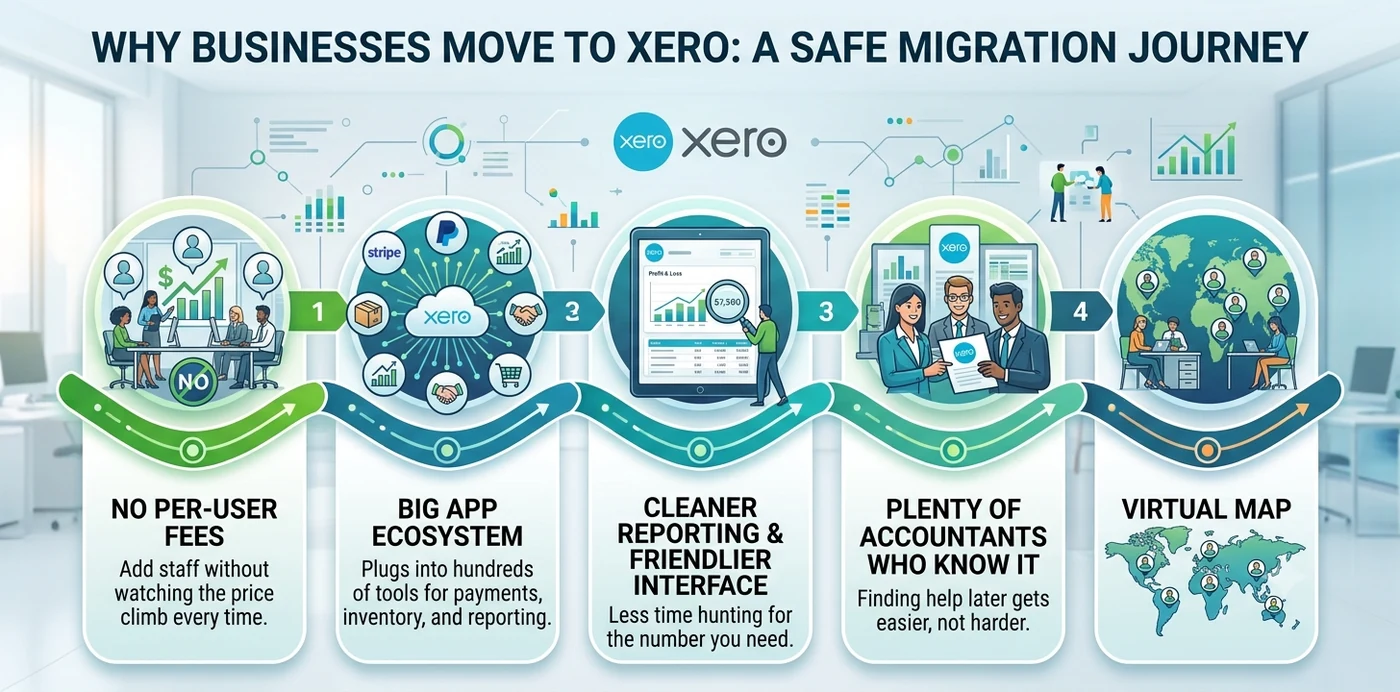
Why businesses move to Xero
People rarely switch software for fun — something stopped working, or the bills stopped being worth it. Xero tends to win owners over for a few specific reasons:
- No per-user fees. Add staff without watching the price climb every time.
- A big app ecosystem. It plugs into hundreds of tools for payments, inventory, and reporting.
- Cleaner reporting and a friendlier interface. Less time hunting for the number you need.
- Plenty of accountants who know it. Finding help later gets easier, not harder.
None of that matters, though, if the move itself wrecks your data — so here is how the data actually behaves.
What moves, what doesn’t
What moves, and what needs extra care
Not every part of your old file behaves the same way during a migration. Setting expectations early saves a lot of grief.
| What’s in your old file | Moves to Xero? | What to watch |
|---|---|---|
| Chart of accounts | Yes | Mapped and cleaned, not copied blindly |
| Customers & suppliers | Yes | Old systems love to hide duplicates |
| Open invoices & bills | Yes | Outstanding AR and AP as of your cut-over date |
| Trial balance / opening balances | Yes | Booked as of one clean date |
| Bank & card balances | Yes | Verify against real statements |
| Transaction history | Often | Full detail or summary, depending on need and budget |
| Bank reconciliation status | Re-checked | “Reconciled” marks don’t always carry over |
| Inventory & items | Yes | Quantities and prices deserve a second look |
| Sales tax codes & rates | Yes | Confirm they match your jurisdiction |
| Payroll history | Partial | Usually comes in as year-to-date or summary figures |
| Attachments | Sometimes | Depends on what both systems allow |
The big decision hiding in that table is how much history you actually need. A lot of businesses do a clean conversion as of one date — opening balances plus open items — instead of dragging every line from the past five years. Full detail is doable; it just costs more and gives errors more places to hide.
The process
What to expect: the conversion process step by step
A good conversion follows an order. Jump around and that is usually where the numbers quietly break. Here is roughly what a careful move looks like — and it holds whether you are a one-person LLC or a group of related companies.
Review the file you are leaving
Someone checks the data quality, the number of years and entities, and how payroll and inventory were handled.
Pick a cut-over date
The first day of a month, quarter, or fiscal year keeps the break clean.
Map the chart of accounts
Old accounts get matched to the right Xero accounts, and duplicates get sorted out.
Move the data in a controlled way
It goes across in stages, not straight into your live Xero org, and gets checked at each step.
Reconcile everything back to the original
Trial balance, AR, AP, and reconciled bank balances all have to agree with your old reports.
Review and go live
You confirm the figures match, then start working in Xero with support on hand for the first close.
Security
Keeping your data safe during the move
Your books hold sensitive information, so how the file is handled matters as much as where it ends up. A few things to expect, and to insist on, during any secure data migration:
- A secure channel for the file. Your data should not be bouncing around in open email threads.
- An NDA if you want one. Any serious provider will sign one without a fuss.
- Limited access. Only the people working on your conversion should be able to reach the file.
- Your data stays yours. Switching platforms does not change ownership. Xero has also tightened its terms so data pulled through its developer platform is not used to train AI or machine-learning models.
For the official line on data handling and setup, Xero Central is the source to check. And before you cancel anything, save your history — the IRS generally says to keep supporting records for at least three years, sometimes longer, so you will want those old exports either way.
The payoff
Benefits of a professional Xero conversion
Plenty of owners try a DIY export and regret it by the second week. Here is what you are really paying for when a professional handles the conversion:
- Balances that tie out. Your opening numbers are right, so every report after that stands on solid ground.
- History you do not lose. The detail you need is preserved and double-checked, not approximated.
- Less downtime. Your team keeps invoicing while the heavy lifting happens off to the side.
- A clean setup. Accounts and tax codes are built right from day one instead of patched later.
- Audit-ready records. Your numbers line up with your filings and hold up under questions.
- Someone to call. When a figure looks off, you get a person who knows your file.
Stack that against the cost of untangling a botched move, and a managed conversion usually pays for itself.
Pitfalls
Common mistakes to avoid
These are the slip-ups we see most often when a conversion goes sideways:
- A mid-month cut-over. Convert in the middle of a month and you will split reconciliations and leave half-finished periods everywhere.
- No cleanup first. Duplicate contacts and dead balances do not fix themselves — they just move to Xero with you.
- Copying a messy chart of accounts 1:1. A bad account list in the old software becomes a worse one in Xero if nobody maps it.
- Skipping open AR and AP. Miss these and your customer and supplier balances are wrong on day one.
- Assuming reconciliations carry over. They often lose their reconciled status, so the math needs re-checking.
- Cancelling old software too soon. You will likely want that file around for a while to compare against.
- No final balance check. If the new Xero file does not match the old one, the job is not done.
Do it right
Best practices for a smooth move
A handful of habits keep any migration on track:
- Move at a natural break. Year-end or quarter-end keeps the cut-over clean.
- Tidy up before you move, not after. Fix open items and remove dead accounts in the old system first.
- Keep your old data. Export your reports and back up the file before you close anything.
- Run a short parallel month. Keep both systems going briefly and confirm they agree.
- Check against real statements. Tie bank and card balances to actual bank documents, not just on-screen totals.
- Write down the mapping. Keep a simple record of how each old account became a Xero account.
Why Numerawise
Why choose Numerawise Solutions
Conversions are detail work, and detail is the whole job. At Numerawise Solutions, we run these moves every week, so we know where they tend to break before they do. Here is what working with us looks like:
- Qualified accountants, not just software. Our team holds Intuit ProAdvisor (Gold tier) status and works across both Xero and QuickBooks daily.
- 200+ conversions behind us — across Xero, QuickBooks, and older legacy systems, so the surprises are rarely surprises to us.
- Reconciled to your source file. We do not call a conversion finished until the trial balance and the main reports agree.
- A fixed price, set upfront. You agree the figure before we start — no hourly meter running.
- Handled securely and confidentially. Your file is reached only by the people assigned to your conversion.
We are based in Atlanta and work with clients across the US. Beyond this catch-all page, we cover the full range of Xero conversion services — from Sage, FreshBooks, MYOB, NetSuite, and more — plus Xero to QuickBooks conversion for businesses headed the other way, and we can keep the books current afterward with ongoing bookkeeping services.
In short
Key takeaways
- An accounting software to Xero conversion rebuilds your books inside Xero and reconciles them against your original file.
- Most moves run off a single cut-over date: opening balances plus open invoices and bills as of that day.
- Some data does not transfer cleanly — reconciliation status, payroll history, and attachments usually need extra care.
- The costliest mistakes are skipping cleanup, choosing a mid-month cut-over, and not checking balances at the end.
- A secure migration means your file is handled confidentially and your data is never used to train AI.
- Hiring experienced, certified help costs far less than fixing a DIY conversion gone wrong.
Every source
All the software we convert to Xero
We migrate to Xero from desktop packages, cloud apps, and full ERP systems — 61 source platforms and counting. Do not see yours? We handle any other accounting software too.
Who does the work
Led by an Intuit ProAdvisor

Ram — Founder & Principal
Founder of Numerawise Solutions in Atlanta. Intuit ProAdvisor (Gold tier) and a former Intuit Technical Support engineer, Ram has personally led 200+ accounting-software conversions — including Xero and QuickBooks — for US small and mid-market firms.
More about Ram Verified on UpworkQuestions, considered
Xero conversion FAQs
What is an accounting software to Xero conversion?
It is the process of moving your financial data out of your current system and rebuilding it inside Xero. A specialist maps your chart of accounts, brings over customers, suppliers, transactions, and balances, then reconciles the result against your original file. The goal is an accurate, working Xero file, not a rough copy you have to second-guess later.
Which accounting software can be converted to Xero?
Effectively any of it. Conversions run from desktop programs and cloud apps to full ERP systems and plain spreadsheets, including platforms like Sage, FreshBooks, Wave, MYOB, NetSuite, and Zoho Books. If you are coming from something rarer, we can scope it directly from your file rather than turning you away.
Will I lose my transaction history?
Not when it is handled properly. Preserving the full history is the whole point of a managed conversion. Your invoices, bills, payments, and journals come across in detail rather than as summary totals. Where one item has to arrive as a balance instead of line by line — payroll often does — that is flagged and explained before the work starts.
How long does a conversion to Xero take?
Most run from a few business days to about two weeks. It depends on the size of the file, how many years of history it holds, and how clean the data is. A tidy single-entity file moves fast; a larger or messier one takes longer, because accuracy should come before speed every time.
Is my data safe during the migration?
It should be. Look for a provider that uses a secure channel for your file, limits access to the people doing the work, and signs an NDA on request. Your data should be used only to finish the conversion, never sold, shared, or used to train AI, and ownership of your records stays with you throughout.
Can I switch to Xero mid-tax-year?
Yes, and plenty of businesses do. A mid-year move works fine as long as the balances reconcile and the cut-over date is chosen carefully. A clean break point keeps the figures before and after the switch tied to each other, so your year-end still holds together when it counts.
How much does an accounting software to Xero conversion cost?
It depends on data volume, the number of entities, how much history you keep, and whether payroll is involved. A simple conversion costs far less than a tangled multi-company one. We review your file first and give a fixed quote, so nothing surprising lands on the invoice later.
Should I keep my old software running after the move?
For a little while, yes. Keep it active long enough to pull old reports and compare balances if anything needs a second look. Once your Xero file checks out and you have closed at least one month in it, you can safely cancel the old subscription without losing your safety net.
Do automated tools handle this, or do I need an accountant?
Both have a place. Automated tools can move raw data quickly, but they cannot confirm the result is correct. The smart approach uses migration tools where they fit, then reconciles the Xero file against the original reports by hand. That verification step is what makes the difference, and it really needs an accountant.
What is the best time to convert to Xero?
A natural break is ideal — the start of a month, quarter, or fiscal year. Year-end is the cleanest of all, since it avoids splitting a reporting period across two systems. If your timing cannot wait, a mid-year migration is completely doable when it is handled with care.
Begin
Start your conversion with confidence
Move to or from Xero without the lost data and broken balances. Our Xero conversion experts will go through your file, map the data, and hand back a reconciled result that is ready to use.