QuickBooks Enterprise Services
QuickBooks Enterprise is the most capable QuickBooks edition — advanced inventory, more users, and heavier reporting. We migrate you onto Enterprise from systems like Foundation, Sage 100, and NetSuite, set it up around your operations, and host it in the cloud if you need it.
Free scoping call · Fixed-price quote in 24 hours · ProAdvisor Gold
When you outgrow regular QuickBooks
When your books outgrow regular QuickBooks
Most owners do not go looking for QuickBooks Enterprise — they get pushed toward it. The file gets slow, reports time out, and you hit a list limit you never knew existed. Suddenly Pro or QuickBooks Online cannot keep pace with the business.
That is the point where QuickBooks Enterprise services start to matter. Enterprise is the biggest version of QuickBooks Desktop, made for companies with large data files, real inventory, job costing, and a lot of people in the system at once. It is powerful, and it is also easy to get wrong. A bad setup just hands you a bigger version of the same mess; a good one can carry the books for a company well past the tens-of-millions mark. This page walks through what those services include, who actually needs them, and the mistakes we see most.
The product
What QuickBooks Enterprise is, and who it is built for
QuickBooks Desktop Enterprise sits at the top of Intuit’s desktop lineup. It is aimed at mid-sized businesses that have outgrown Pro, Premier, or QuickBooks Online but are not ready to jump to a full ERP system. The numbers tell you who it is for:
- Up to 40 users can work in the same file at once (Diamond edition; the others cap at 30).
- It holds up to 1 million names and items. Pro and Premier stop around 14,500 — exactly where many growing companies hit the wall.
- You get Advanced Reporting, detailed user permissions, and industry versions for contractors, manufacturers and wholesalers, retail, nonprofits, professional services, and accountants.
So who buys it? Usually businesses that carry heavy inventory, run several locations or entities, track costs by job, or simply push more transactions than the smaller versions can handle. Contractors, wholesalers, and distributors make up a large share of the user base — and those are also the setups where a careless build hurts most, because the reporting has to hold up under real complexity.
What we cover
Thinking about leaving Enterprise? Read converting QuickBooks Enterprise to QuickBooks Online first — it covers the target-count limits and the Enterprise features that have no online equivalent.
What our QuickBooks Enterprise services cover
Buying the license takes ten minutes. Making Enterprise fit the way your business actually runs is the part that takes skill, and that is where the value sits. Our services usually cover:
- Implementation and setup — a clean chart of accounts, item list, classes, and company settings, built from scratch instead of bolted on later.
- Migration into Enterprise — moving your data from Pro, Premier, QuickBooks Online, Sage, or spreadsheets without dropping history.
- Advanced Inventory and job costing — locations, units of measure, costing methods, and cost codes so the numbers are usable, not just present.
- User roles and permissions — deciding who can see and do what, which matters more every time you add a person.
- Payroll and time tracking — getting both running correctly on the tiers that include them.
- Custom and advanced reporting — turning raw ledger data into something an owner or manager can read and act on.
- Data file cleanup — trimming bloated files, clearing duplicates, and closing reconciliation gaps that drag down performance.
- Ongoing bookkeeping — keeping the books right every month, not just on day one.
- Training and support — making sure your team can actually use what you are paying for.
Where Enterprise earns its keep
For a 1–10 person maker deciding between QuickBooks Online and Enterprise, our QuickBooks Online setup guide for small manufacturers shows what Online handles well and where Advanced Inventory becomes the deciding feature.
Advanced Inventory and job costing
For a lot of product and project businesses, QuickBooks Enterprise Advanced Inventory is the whole reason to move up. It brings bin and location tracking, barcode scanning, FIFO costing, and serial or lot tracking — none of which exists in Pro or QuickBooks Online.
Construction works the same way. Set up properly, Enterprise tracks costs by job, phase, and cost code, so you are reading real margins on each project instead of guessing at them. We have built this for site contractors and trades businesses, and the gap between a careful setup and a rushed one shows up fast — usually the first time someone tries to trust a job-costing report and finds the numbers do not tie. If you are coming from construction software, see our Foundation to QuickBooks conversion.
Choosing a tier
QuickBooks Enterprise editions and tiers explained
Enterprise sells in four tiers. Choosing the right one is most of the decision, since every step up adds features and cost at the same time. Coming from Pro or Premier? Premier vs Enterprise covers the list limits that force the upgrade.
| Edition | Max users | Payroll | Advanced Inventory & Pricing | Best for |
|---|---|---|---|---|
| Silver | 30 | Not included | No | Larger list and reporting needs without bundled payroll or inventory |
| Gold | 30 | Enhanced Payroll included | No | Growing teams that want payroll built in |
| Platinum | 30 | Enhanced Payroll included | Yes | Inventory-heavy and product-based businesses |
| Diamond | 40 | Assisted Payroll + QuickBooks Time | Yes, plus a Salesforce connector | Complex, high-volume, or multi-location operations |
- It is subscription-only now — Intuit dropped the one-time license years ago. Silver, Gold, and Platinum bill annually; Diamond bills monthly.
- A single-user Silver plan runs somewhere north of $1,800 a year, and the price climbs with users, payroll, and add-ons. Intuit raised Desktop prices on February 1, 2026, and Gold and Platinum now add a per-employee payroll fee.
- Rates move around and resellers discount differently, so confirm current numbers with Intuit or an authorized provider before you commit. Part of our job is matching you to the right tier, so you are not paying for features you will never touch or upgrading under pressure six months in.
The payoff
Benefits of using QuickBooks Enterprise the right way
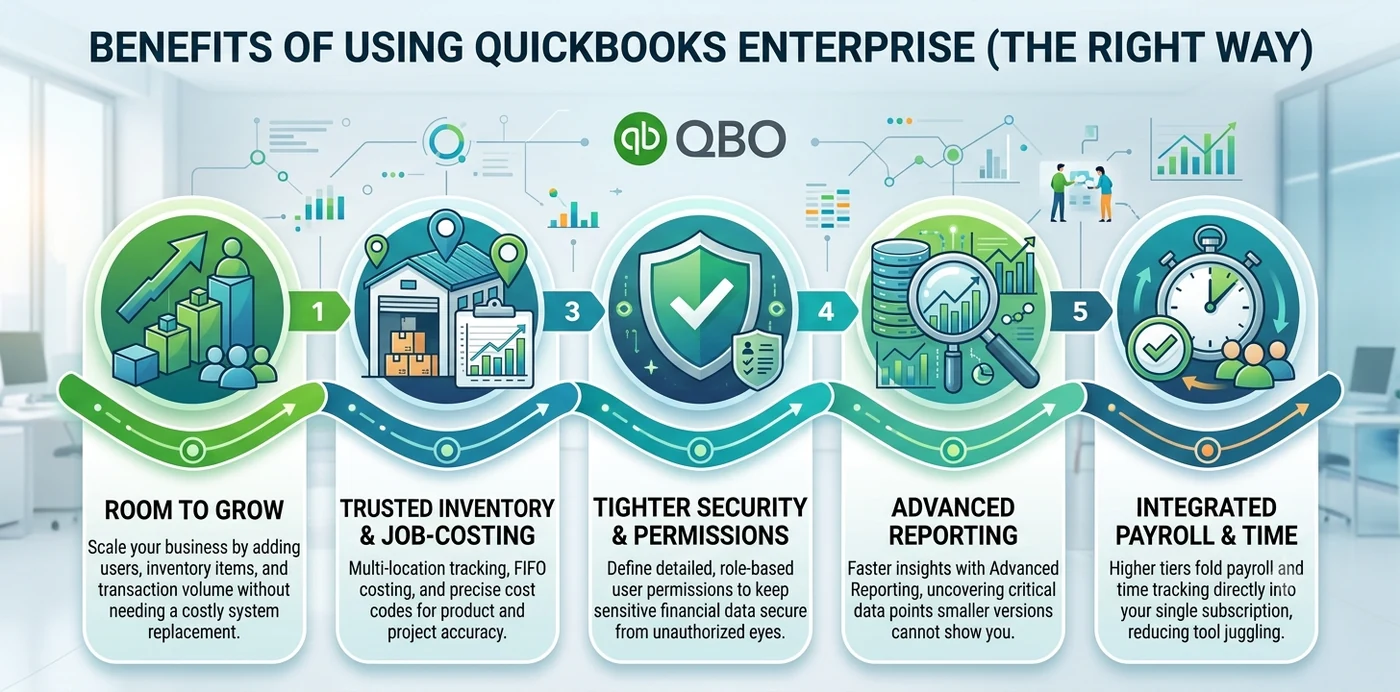
Matched to the right business and set up with care, Enterprise pays for itself in a few ways.
- Room to grow — add users, items, and transaction volume without ripping everything out for a new system every couple of years.
- Inventory and job-cost control you can trust — multi-location tracking, FIFO costing, and cost codes give product and project businesses numbers that hold up.
- Tighter security — detailed, role-based permissions keep sensitive financial data away from people who should not see it.
- Better reporting, faster — Advanced Reporting digs out things the smaller versions cannot show you.
- Payroll and time tracking in one place — the higher tiers fold both into the subscription, so you juggle fewer tools.
- Fewer messes at year-end — a solid setup heads off the small errors that pile up into ugly cleanups later.
Pitfalls
Common QuickBooks Enterprise mistakes
We get called in to clean up botched Enterprise setups fairly often. It is usually the same short list of problems.
- The wrong tier — paying for Diamond when Gold covers it, or grabbing Silver and needing Advanced Inventory a month later.
- A setup with no structure — a messy chart of accounts or item list at the start follows you into every report after.
- Turning on Advanced Inventory blind — flip it on without mapping locations, units, and costing first and you get a knot that is painful to untangle.
- Skipping permissions — full access for everyone feels easy on day one and becomes a problem you regret later.
- Letting the file bloat — years of unmaintained data slow Enterprise down and put your records at risk when nobody runs cleanups or backups.
- Running it like Pro — ignore classes, items, and job costing and you have paid extra for features you never use.
Do it right
Best practices for a smooth Enterprise setup
Here is the short version of what keeps a rollout on track — the same checklist we run for clients.
- Right-size the tier first. Count your users, settle the payroll question, and decide whether you genuinely need Advanced Inventory.
- Build the chart of accounts and item list before go-live, not after you have already entered three months of data.
- Set up Advanced Inventory on purpose. Map out locations, units of measure, and costing methods with a plan in hand.
- Lock down user roles so each person sees only what their job needs.
- Time the migration to a clean cutoff. The start of a fiscal year or quarter is ideal, and tie the new file back to your old reports.
- Schedule regular maintenance and backups so performance stays steady and nothing gets lost.
- Use job costing and classes from day one, especially on construction and project work.
- Double-check current specs and pricing with Intuit before you sign, because both shift over time.
Why Numerawise
Why choose Numerawise Solutions
Enterprise is a real investment, and it rewards people who have done it before. Numerawise Solutions is an Atlanta-based bookkeeping and accounting firm, and we provide QuickBooks Enterprise services for US businesses in construction, real estate, hospitality, and multi-entity setups.
The work suits our background. We are in contractor and inventory-heavy books every week — exactly what Enterprise was built for — so job costing, cost codes, and Advanced Inventory are not theory to us. We take the whole thing end to end: move your data in, set it up the right way, then keep the books accurate month after month.
That last piece is where a lot of providers vanish — they install the software and you never hear from them again. We stick around through outsourced bookkeeping, QuickBooks payroll, and steady reconciliation, so the system keeps earning its keep long after setup. Still deciding between desktop and the cloud? We also handle QuickBooks Online migration and QuickBooks setup, consulting, and hosting, so the advice you get is about fit, not a script.
In short
Key takeaways
- QuickBooks Enterprise is the biggest QuickBooks Desktop product, with room for 40 users and 1 million names and items.
- It is subscription-only, sold as Silver, Gold, Platinum, and Diamond, with features and price rising at each tier.
- Advanced Inventory and job costing are usually what make the upgrade worth it for product and project businesses.
- Most setups fail for two reasons: the wrong tier and a rushed build with no clean chart of accounts behind it.
- Real QuickBooks Enterprise services handle setup, migration, configuration, and ongoing bookkeeping, not just the install.
- Check current pricing and specs with Intuit, since Desktop prices went up in February 2026 and keep moving.
Common Enterprise moves
Migrations onto QuickBooks Enterprise
Who does the work
Led by an Intuit ProAdvisor

Ram — Founder & Principal
Founder of Numerawise Solutions in Atlanta. Intuit ProAdvisor (Gold tier) and a former Intuit Technical Support engineer, Ram has personally led 200+ accounting-software conversions and setups for US small and mid-market firms.
More about Ram Verified on UpworkQuestions, considered
QuickBooks Enterprise FAQs
What are QuickBooks Enterprise services?
They are the professional services that get QuickBooks Desktop Enterprise set up, migrated, and running for a business. That covers implementation, data migration, Advanced Inventory and job-costing setup, user permissions, payroll, custom reporting, and month-to-month bookkeeping. The point is to shape Enterprise around how your business actually works, then keep the books accurate, instead of handing you the software and walking away.
Who needs QuickBooks Enterprise?
It fits mid-sized businesses that have outgrown Pro, Premier, or QuickBooks Online — large transaction volumes, heavy inventory, several locations or entities, detailed job costing, or a lot of users in the file at once. Contractors, wholesalers, distributors, and growing service firms are typical. A simple test: if reports crawl or you keep bumping into list limits, it is time to look at Enterprise.
How many users does QuickBooks Enterprise support?
Up to 40 at the same time, but only on the Diamond edition. Silver, Gold, and Platinum stop at 30. You buy licenses per seat, and everyone has to run the same version year. If your headcount is heading past 30 users, that fact alone usually decides it, since 40 means Diamond, and Diamond bills monthly rather than annually.
Is QuickBooks Enterprise still available in 2026?
Yes. Intuit stopped selling new Pro Plus and Premier Plus subscriptions back in 2024, but Enterprise is still sold and still supported. It only comes as a subscription now, with no one-time purchase. Prices did go up on February 1, 2026, so existing users saw bigger renewals, but the product itself is fully available to both new and current customers.
How much does QuickBooks Enterprise cost?
It depends on the tier, your user count, payroll, and any add-ons. A single-user Silver plan runs a bit over $1,800 a year, and Gold, Platinum, and Diamond go up from there as seats and features grow. The all-in cost climbs once you add users, payroll, and hosting. Since Intuit changes pricing and resellers discount differently, confirm the current rate before you budget.
Can you migrate my data to QuickBooks Enterprise?
Yes. We move company files into Enterprise from QuickBooks Pro, Premier, QuickBooks Online, Sage, and spreadsheets. A clean migration means reviewing the source file, mapping the chart of accounts, bringing over lists and balances, then reconciling the new file against your old reports so everything ties. We usually schedule it for a clean fiscal cutoff, which keeps your reporting periods whole.
What is QuickBooks Enterprise Advanced Inventory?
It is a feature bundled into the Platinum and Diamond tiers — bin and location tracking, barcode scanning, FIFO costing, and serial or lot tracking, none of which Pro or QuickBooks Online offer. For many product businesses it is the main reason to upgrade. It does need careful setup, so locations, units of measure, and costing methods have to be mapped out from the start.
Can QuickBooks Enterprise be accessed remotely or in the cloud?
Yes. Enterprise is a desktop program, but it can be hosted in the cloud through Intuit’s hosting option or an authorized third-party host. Hosting lets your team log in from anywhere without running on-premise servers, and you keep the full Desktop feature set. Whether it is worth it depends on your setup — see our cloud accounting services, and we can handle the move if it makes sense.
Do you provide ongoing QuickBooks Enterprise support and bookkeeping?
Yes. Setup and migration are only the start. We also handle ongoing bookkeeping, reconciliation, payroll, and reporting inside Enterprise. A lot of providers install the software and move on, which leaves you maintaining a complex system by yourself. Our services run month to month, so the books stay accurate and the reports stay reliable well past the initial setup.
QuickBooks Enterprise vs QuickBooks Online — which should I choose?
It comes down to your needs. Enterprise gives you deeper inventory, stronger job costing, and bigger file capacity, which suits product and project businesses. QuickBooks Online wins on anywhere access, automatic updates, and easy collaboration. We look at your workflows, inventory, and team before pointing you in a direction instead of defaulting to either.
Every source
All the software we convert to QuickBooks Enterprise
We migrate to QuickBooks Enterprise from desktop packages, cloud applications, and full ERP systems — 60 source platforms and counting. Do not see yours? We also convert any other accounting software.
Begin
Ready for QuickBooks Enterprise?
Send a few details and we’ll email a fixed-price quote within one business day.