You open QuickBooks on a Monday morning and get an error code instead of your company file. Maybe it is a -6000 series message. Maybe the file opens but the balance sheet is suddenly off by thousands. Either way, your books are frozen and payroll is due Friday.
This is exactly the situation QuickBooks repair services exist for. A damaged company file rarely fixes itself, and repeated failed attempts to open it can make the damage worse. The good news: most corrupted files can be repaired with the transaction history fully intact — if the repair is handled correctly the first time.

What are QuickBooks repair services?
QuickBooks repair services are professional data-recovery and file-restoration services for damaged QuickBooks company files. A repair specialist diagnoses the source of the corruption, restores the file to a stable state, and verifies that every account balance and transaction survived the process. A proper repair typically covers:
- Company file corruption — files that will not open, crash on open, or freeze during use
- Error code resolution — -6000 series, H202, C=343, and similar errors
- Data damage repair — missing transactions, broken links between invoices and payments, or reports that do not match
- List damage — corrupted customer, vendor, or item lists
- Post-repair verification — confirming the Verify Data utility passes clean and balances tie out
That last step matters more than most people realize. A file that opens again is not the same as a file that is actually healthy.
Common signs your QuickBooks file needs repair
Corruption rarely announces itself with one dramatic crash. It usually starts small. Watch for these warning signs:
- QuickBooks shuts down unexpectedly when you run certain reports
- The Verify Data utility reports that “your data has lost integrity”
- Balance sheet totals differ between accrual and cash basis in ways that make no sense
- Invoices or bills appear in reports but cannot be opened
- Names are missing from customer or vendor lists
- The file takes far longer to open than it used to
- You see QuickBooks error codes like -6150, -6000 -83, or C=343
If two or more of these sound familiar, stop and make a backup copy of the file right now — before doing anything else. Every repair attempt should start from a copy, never the original.
Why QuickBooks files get corrupted
Understanding the cause helps prevent a repeat. In our repair work, the same handful of culprits show up again and again.
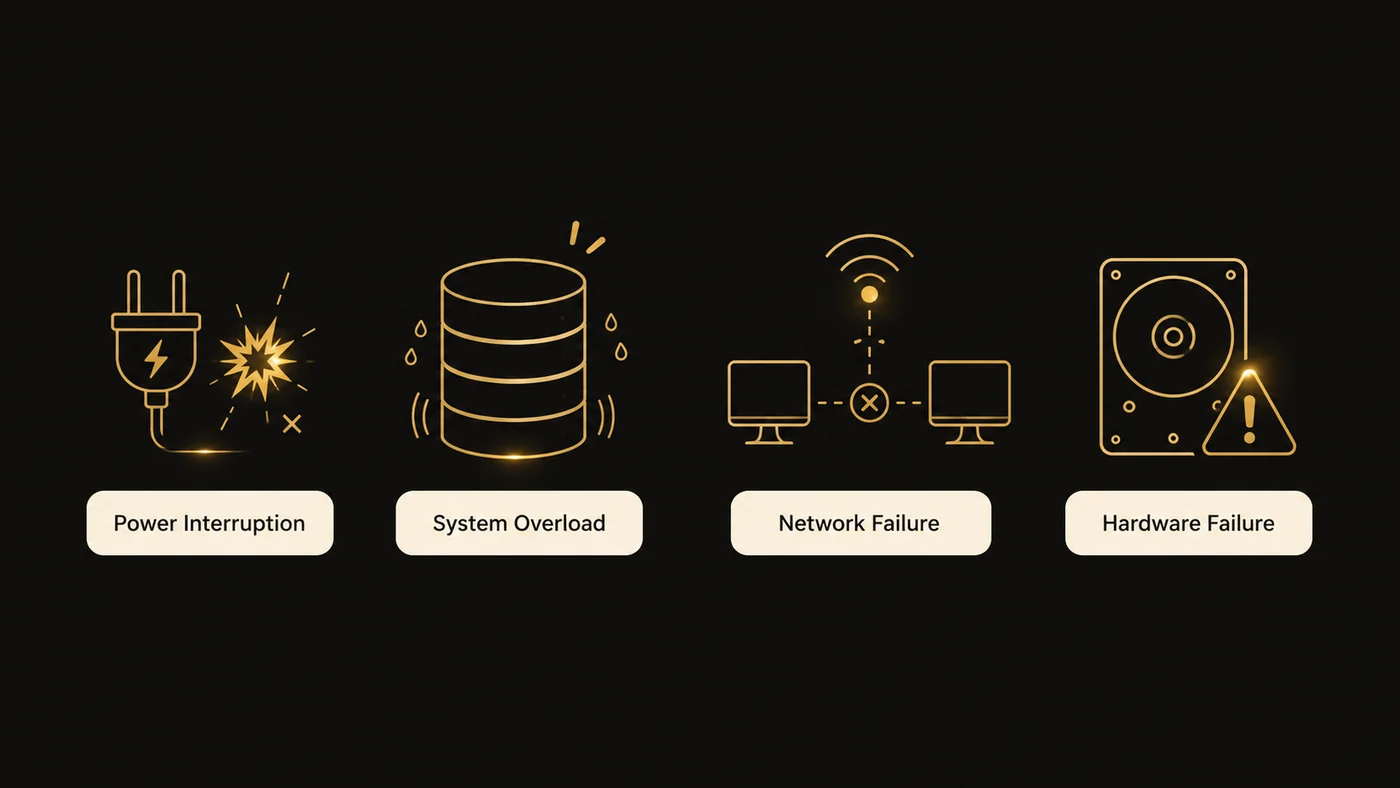
Oversized company files
QuickBooks Desktop files become fragile as they grow. Once a Pro or Premier file passes roughly 1 GB (or a list count near Intuit’s published limits), the database engine strains and corruption risk climbs. Enterprise handles larger files, but no version is immune.
Improper shutdowns
Power outages, forced restarts, and closing QuickBooks through Task Manager interrupt database writes mid-transaction. This is the single most common cause of a corrupted QuickBooks file we see.
Network problems in multi-user mode
When several users share a file over a weak network, dropped connections corrupt data in transit. Files stored on external drives or accessed over Wi-Fi are especially vulnerable.
Failing hardware
Bad sectors on a hard drive damage whatever data sits on them. If your file lives on an aging drive, the file damage may be a symptom of a bigger problem.
Third-party integrations
Poorly built sync tools and importers can write malformed data directly into the file. We have repaired files where a single bad import created thousands of broken transaction links.
DIY fixes vs. professional QuickBooks repair services
Some repairs are safe to try yourself. Others can turn a recoverable file into a lost cause. Here is an honest breakdown:

| Situation | Safe to DIY? | Recommended approach |
|---|---|---|
| Minor list damage, file opens fine | Yes | Run Verify Data, then Rebuild Data |
| -6000 series errors on a networked file | Usually | QuickBooks File Doctor; check hosting settings |
| Rebuild Data fails or loops | No | Professional file repair |
| File will not open at all | No | Professional data recovery |
| Balances changed after a rebuild | No | Professional review before more repairs |
| Damage repeats after every repair | No | Full file diagnosis; possible migration |
Step by step: the safe DIY sequence
If your file still opens, try this in order:
- Create a backup copy. Use File > Back Up Company, or copy the .QBW file manually.
- Run Verify Data (File > Utilities > Verify Data) to confirm and log the damage.
- Run Rebuild Data (File > Utilities > Rebuild Data) and let it finish — even if it takes an hour.
- Run Verify Data again. If it passes clean, spot-check your balance sheet against a recent backup or statement.
- If Verify still fails, stop. Repeated rebuilds on a badly damaged file can overwrite recoverable data.
Intuit’s own support documentation covers these utilities in detail, and it is worth reading before you start. But Intuit is also clear that the built-in tools handle minor damage. Structural corruption needs deeper work.
What professional repair actually involves
A professional repair goes well beyond running the same utilities you have access to. A specialist will typically:
- Read the QBWin.log file to identify the exact damaged records
- Repair or surgically remove broken transactions at the database level
- Use QuickBooks Auto Data Recovery (ADR) files when the main file is unrecoverable
- Rebuild damaged lists while preserving transaction history
- Re-verify every account balance against pre-damage reports
- Document what was changed, so your accountant has a clean audit trail
That documentation step is where experience shows. Any repair that changes even one transaction should come with a record of what moved and why. Your CPA will thank you at tax time.
Benefits of professional QuickBooks repair services
- Your history stays intact. Starting a new file means losing years of comparative reporting. A successful repair keeps it all.
- Faster than starting over. Rebuilding a company file from scratch takes weeks. Most repairs finish in days.
- Hidden damage gets found. Professionals catch corruption that has not caused visible symptoms yet.
- Root-cause diagnosis. Repair without prevention just schedules the next emergency.
- Clean audit trail. Every change documented, which matters for tax filings and lender reviews.
Common mistakes that make file damage worse
We have seen each of these turn a two-day repair into a data-loss situation:
- Running Rebuild Data over and over. One rebuild is diagnostic. Five rebuilds is destructive.
- Working in the damaged file. New transactions entered into a corrupt file may themselves become corrupted — or lost in the repair.
- Deleting the .ND and .TLG files without understanding them. The .TLG (transaction log) file is often the key to recovering lost data. Deleting it prematurely closes that door.
- Restoring an old backup and re-entering months of work. Usually unnecessary, and it introduces manual-entry errors.
- Ignoring the warning signs. A file that “mostly works” with occasional crashes is a file that is actively degrading.
Best practices to prevent future file damage
Repair is the cure. These habits are the prevention:
- Back up daily — and verify the backup completes. An untested backup is a hope, not a plan.
- Run Verify Data monthly. Catch damage while it is still minor.
- Keep the file lean. Condense old closed periods or start a new file at a sensible cutoff if you are past size limits.
- Host the file properly. Store it on a wired, local server — never a USB drive or consumer cloud-sync folder like Dropbox while the file is in use.
- Shut down cleanly. Always close QuickBooks through the File menu, and put the server on a UPS.
- Vet your integrations. Test any new sync app on a copy of your file first.
- Stay current on updates. Intuit’s maintenance releases regularly patch database-stability issues.
If your file has been repaired more than twice, it may be time to consider a fresh start — either a rebuilt file or a planned move to QuickBooks Online. Our QuickBooks migration services handle exactly that transition, carrying your balances and open transactions forward into a clean file.
Why choose Numerawise Solutions
File repair is where bookkeeping knowledge and technical skill have to meet. Plenty of tools can force a damaged file open. Far fewer people can then confirm that your retained earnings, AR aging, and payroll liabilities still tie out afterward.
At Numerawise Solutions, repair work is grounded in day-to-day accounting practice. We handle QuickBooks conversions, cleanups, and multi-entity bookkeeping for contractors, real estate firms, and service businesses — so when we repair a file, we verify it the way an accountant would, not just the way a technician would.
Every repair includes a before-and-after balance comparison, a written summary of changes, and a prevention plan. And if the damage points to deeper bookkeeping problems, our catch-up bookkeeping team can bring the records fully current. Many repair clients later move to our outsourced bookkeeping services so file health gets monitored month after month — not just after a crisis.
Final thoughts
A damaged company file feels like a disaster, but it is usually a solvable problem — if it is handled carefully and early. The built-in Verify and Rebuild utilities resolve minor damage. Anything beyond that deserves professional QuickBooks repair services, because every failed repair attempt shrinks the pool of recoverable data.
The pattern we see most often is simple: businesses wait too long. The file limps along for months, corruption compounds quietly, and the eventual repair is harder than it needed to be. If your file is throwing errors, running slow, or producing reports that do not add up, treat it as the warning it is.
Back up the file, stop working in it, and get it diagnosed. Whether the answer is a targeted repair, a rebuild, or a planned migration to a healthier setup — like our Sage 50 to QuickBooks conversion clients often choose — acting now protects the years of financial history your business depends on.
Key takeaways
- Most corrupted QuickBooks files are fully repairable if repair starts early and from a backup copy.
- Verify Data and Rebuild Data are safe for minor damage; structural corruption needs professional repair.
- Never run repeated rebuilds on a failing file — each attempt can overwrite recoverable data.
- The .TLG transaction-log file is often critical to recovery. Do not delete it.
- Oversized files, improper shutdowns, and weak networks cause most corruption. Prevention is cheaper than repair.
- Every professional repair should end with verified balances and documented changes.