Solo files from $500 · multi-user agencies from $1,500
FreshBooks to QuickBooks Conversion
Our FreshBooks to QuickBooks conversion moves US service businesses, agencies, and consulting firms to QuickBooks Online or Desktop — clients, invoices, expenses, projects, and time entries preserved, with payment history reconciled. Most jobs complete in about a week (5–10 business days).
Free scoping call · Fixed-price quote in 24 hours · No commitment
How we protect your numbers
More than an import tool
Anyone can run an import tool. The difference shows up when the numbers do not tie out and you need someone who understands why. Here is the accounting judgment we bring to every conversion.
We review your data first
We go through your FreshBooks file looking for how accounts are structured, where duplicates live, and what will cause trouble later. Everything else depends on this stage.
We clean before we move
Migrating a mess just gives you a tidier-looking mess. We merge duplicate records, fix misclassified entries, and square away anything that would land in QuickBooks wrong.
We migrate carefully
The data goes into QuickBooks using a process we have run many times, protecting the integrity of the numbers at every step rather than dumping a file and hoping.
We prove it ties out
After the move we reconcile the new file against your original FreshBooks data — balances, aging, customer records, and reports all have to match. If something is off, we find it before you do.
We stick around afterward
The relationship does not end when the file is built. We answer questions, help your team find their footing in QuickBooks, and make sure you are comfortable before we call it done.
Bookkeepers, not just movers
Real reconciliation, data handled securely and kept confidential, and a plan built around your business — not a template. We can also keep your books current afterward with ongoing bookkeeping.
Two destinations
FreshBooks to QuickBooks Online or Desktop
We will talk it through based on how you actually work — then migrate your data with history and balances intact either way.
FreshBooks to QuickBooks Online
If you want your books in the cloud, QuickBooks Online is the move — access from anywhere, automatic updates, and real-time collaboration with your team and accountant. We migrate your FreshBooks data into QBO with your history and balances intact.
FreshBooks to QuickBooks Desktop
Some businesses still prefer Desktop, especially for heavier job costing or detailed reporting on a local install. We migrate your data into QuickBooks Desktop and structure it so it is ready to work in from day one. Later need the reverse? See QuickBooks Online to Desktop.
The move
Considering Zoho Books as the next step instead of QuickBooks? Zoho Books vs FreshBooks compares the two on client caps, seats and 24-month cost before you decide.
When FreshBooks stops keeping up
FreshBooks does a fine job for freelancers and early-stage businesses. But once you start needing job costing, real inventory tracking, class-level reporting, or tighter payroll integration, you tend to hit a wall — and that is when most owners start looking at QuickBooks. (If the alternative you are weighing is Wave, FreshBooks vs Wave covers that decision first.)
The move itself is where things get tricky. FreshBooks does not hand you a single backup file the way QuickBooks does. You pull a set of reports and CSV exports, and someone has to rebuild the chart of accounts, map every customer and vendor, and decide how much transaction history actually comes across. Get that wrong and your opening balances will not tie out. Get it right and you barely notice the switch happened.
That is the part we handle. At Numerawise Solutions we run FreshBooks to QuickBooks conversions for businesses that cannot afford to have their books go dark for a week. Our team comes from a bookkeeping background — not just a software one — so we are watching the accounting the whole way through, not only the file transfer.
What goes wrong
Why FreshBooks users outgrow it
FreshBooks is excellent for freelancers and very small teams. As you grow, a few gaps start to cost you time — here’s what we hear most.
Limited reporting
FreshBooks reports are oriented to freelancer needs. Growing businesses need cash-flow forecasts, custom P&L, and class tracking — which QuickBooks Online delivers.
Inventory ceiling
FreshBooks supports product line items but has no real inventory. Once you carry stock, QuickBooks is the move.
CPA hand-off friction
Most US CPAs work in QuickBooks. Handing off from FreshBooks adds export-then-import friction every month.
What it involves
What actually comes across
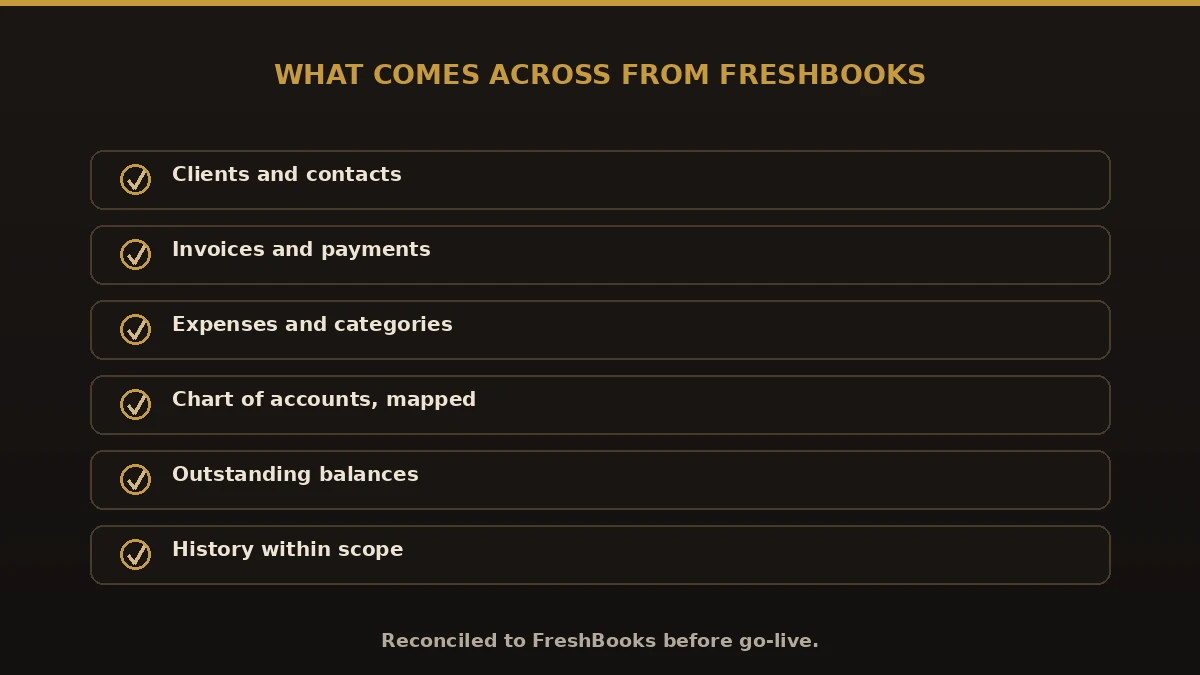
How much we migrate depends on your file and how far back you want to go. In a typical project into QuickBooks Online or Desktop we bring over:
- Customers and the open invoices tied to them
- Vendors and their balances
- A rebuilt chart of accounts that matches how you run the business
- Open and paid invoices, with payment application intact
- Credit notes
- Payments and deposits
- Products and services
- Account balances
- Historical transactions, where it makes sense
- Projects and time entries with rates preserved
- The reports you rely on for filing and decisions
Before we touch anything, we go through your FreshBooks data and tell you straight what is worth migrating in full and where opening balances as of a cutoff date are the smarter call. There is no point dragging six years of messy history into a clean file if you will never look at it.
The process
FreshBooks to QuickBooks in six steps
Every FreshBooks to QuickBooks migration follows the same structured process — fixed price, full reconciliation.
Scoping call (free)
We review your FreshBooks plan, projects, and integrations, and send a fixed quote within 24 hours.
Data export
Export via the FreshBooks API — clients, invoices, expenses, time, and projects.
Chart of accounts map
Build a QuickBooks chart of accounts mapped to your FreshBooks categories, approved before migration.
Client + invoice load
Clients with addresses, invoices with line detail, and payment history loaded and preserved.
Expense + project load
Expenses categorised and project profitability preserved, with time entries imported at the right rates.
Go-live + 30-day support
Reconciled to your FreshBooks balances, with a walk-through and 30 days of post-conversion support.
Side by side
FreshBooks vs. QuickBooks for service businesses
Where the day-to-day difference shows up for US service firms. Coming from a different platform? We also handle Xero, Sage Intacct, and NetSuite conversions.
| What to compare | FreshBooks | QuickBooks |
|---|---|---|
| Annual cost (single user) | $228–$660 | $456–$4,080 (Simple Start to Advanced, list prices August 2026) (Online) / $1,800–$3,000 (Desktop) |
| Reporting | Freelancer-focused | Custom P&L, cash flow, class tracking |
| Accountant workflow | Limited | Free native accountant access |
| Project & time tracking | Native | Native (Plus) or via connected app |
| Payroll | Not native | Native add-on |
| Inventory | Limited | Yes (Plus and up) |
| Migration cost | — | From $500, fixed |
Pricing
Deciding whether the renewal is worth paying first? FreshBooks renewal vs QuickBooks Online is a 24-month worksheet built from your own invoice: the client caps that force a plan step-up, the per-seat and add-on lines, and what FreshBooks’ Terms say about refunds and cancelled data.
What a FreshBooks to QuickBooks conversion costs
What moves the number:
Solo / single-user — from $500
Multi-user agency with project tracking — from $1,500
$1M+ revenue, multi-entity or inventory — from $3,500
Years of historical detail to bring over
Payroll add-on and custom report rebuilds
Every quote is fixed-price — no hourly billing — delivered within 24 hours of a free scoping call. We can also keep your books current afterward with ongoing bookkeeping and payroll.
What to avoid
Common mistakes in a FreshBooks to QuickBooks migration
Most rough switches trace back to the same few errors. When you move from FreshBooks to QuickBooks, watch for these:
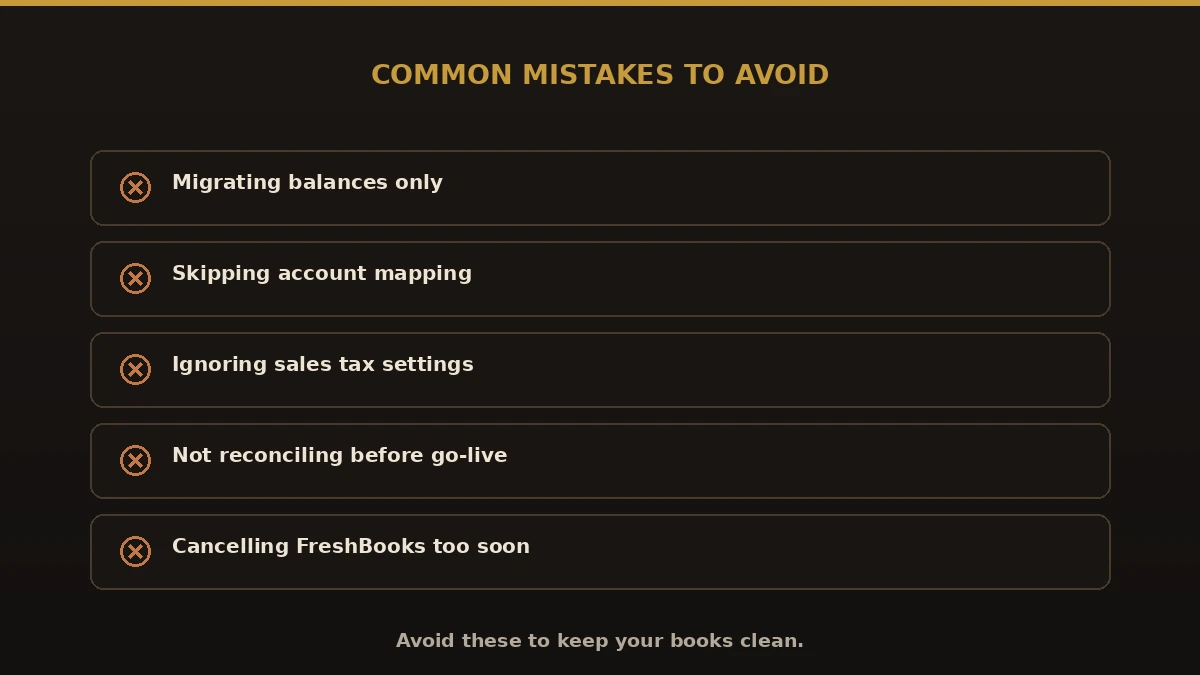
- Migrating balances only. You lose the invoice and payment history you will want later
- Skipping account mapping. FreshBooks categories must map cleanly to the QuickBooks chart of accounts
- Ignoring sales tax settings. Confirm tax codes so your first return is right
- Going live before reconciling. Never cut over until QuickBooks ties to FreshBooks
- Cancelling FreshBooks too soon. Keep it until the new file is proven
Do it right
Best practices for a clean switch
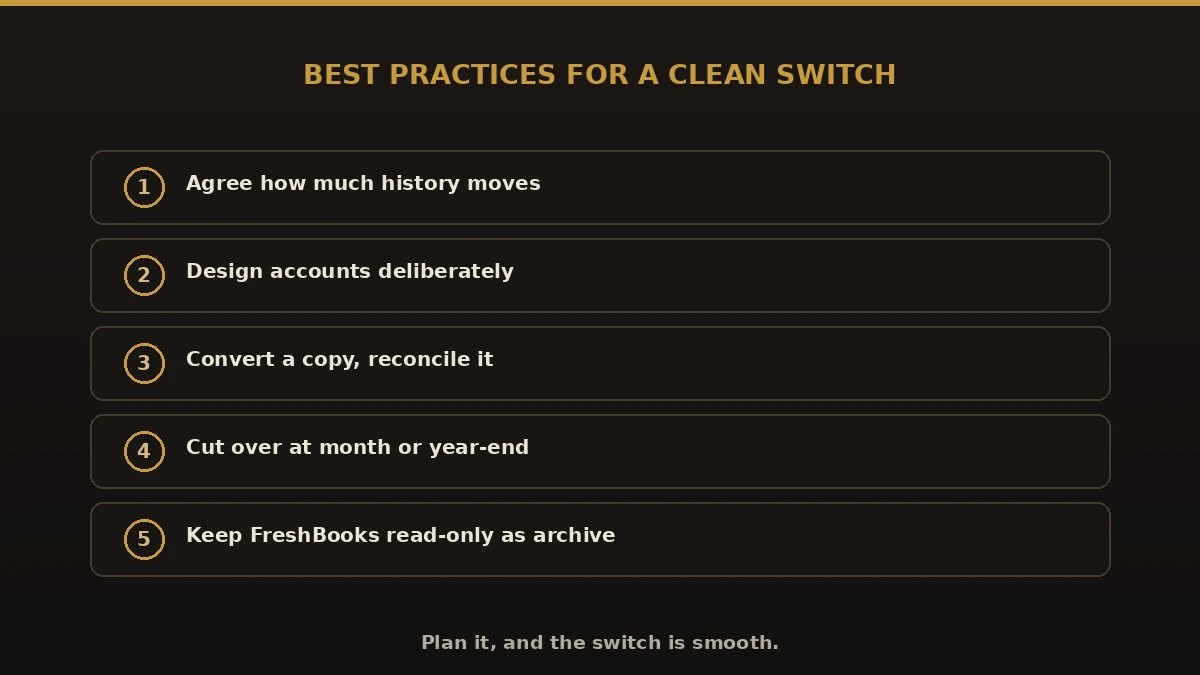
- Agree how much history moves before you start.
- Design the QuickBooks chart of accounts deliberately.
- Convert a copy and reconcile every balance.
- Pick a cutover at a clean break, like month or year-end.
- Keep FreshBooks read-only until QuickBooks reports match.
- Consider QuickBooks Online for most, or Enterprise if you need inventory, and add bookkeeping support to stay clean.
Is this you?
Who this is for
- Freelancers and solo consultants who have outgrown freelancer tools
- Agencies and consultancies that bill by project and need project profitability
- Service businesses that need stronger reporting and cash-flow visibility
- Companies that have started carrying inventory
- Firms whose CPA works in QuickBooks and wants a cleaner hand-off
- Growing teams that need multi-user roles and permissions
Why Numerawise
Why owners pick us for their FreshBooks migration
People work with us because we keep it accurate, honest, and personal — and because accurate, reconciled books are the whole point of the move.
Fewer costly mistakes
A trained eye catches problems before they ever reach your reports.
Time back
Your team stays on the actual business while we run the conversion.
Reports you can trust
Once the data is checked and reconciled, your reports hold up.
A smooth handoff
A planned move keeps your bookkeeping going without long gaps.
Someone to ask
Real answers before, during, and after the switch.
We’ve done this before
Experienced specialists who know where these moves break. We also offer ongoing bookkeeping.
Who does the work
About the lead conversion specialist

Ram — Founder & Principal
Founder of Numerawise Solutions in Atlanta. Intuit ProAdvisor (Gold tier) and a former Intuit Technical Support engineer, Ram has personally led 200+ accounting-software conversions — from Sage, NetSuite, Xero, FreshBooks, AccountEdge, and Foundation into QuickBooks — for US small and mid-market firms.
More about Ram Verified on UpworkFull disclosure
What converts, what’s partially converted, and what isn’t
FreshBooks and QuickBooks structure data differently, so an honest scope matters more than usual:
“Not converted” never means lost: you keep a complete read-only archive of the old system, and anything marked partial or rebuilt is itemized in your written mapping plan before we start — so there are no surprises at go-live.
Questions, considered
FreshBooks to QuickBooks migration FAQs
How much does a FreshBooks to QuickBooks conversion cost?
It depends on the size of your file, how complex it is, and which version of QuickBooks you are moving to. Solo migrations start at $500, multi-user agencies with project tracking from $1,500, and larger firms with multi-entity or inventory needs from $3,500. Send us your details and we will quote it properly — fixed price, within 24 hours.
How long does a FreshBooks to QuickBooks conversion take?
Most are done in a few business days. What moves the timeline is how much data you have, how many years of history you want, and whether you are landing in QuickBooks Online or Desktop. Multi-year project history can extend it to three or four weeks.
Will I lose any data?
No. We protect every record and then reconcile the converted file against your original FreshBooks data, so we can prove nothing went missing — balances, aging, and reports all have to match.
Will invoice history transfer?
Yes. All paid and outstanding invoices migrate with line detail and payment application intact, so your AR and revenue history stay accurate.
Can you bring over several years of history?
Yes. We can migrate historical invoices, payments, and transactions so your prior-period reporting still makes sense. Sometimes opening balances as of a cutoff date are the smarter choice, and we will tell you when that is the case.
What about time tracking?
We migrate time entries linked to invoices, with rates preserved. Going forward, QuickBooks Time or a connected app handles ongoing time tracking.
Is the import fully automatic?
Parts of it use tools, but automation on its own rarely gets you a clean file. The cleaning, mapping, and verification is where the real work is — and that is hands-on.
QuickBooks Online or Desktop — which should I pick?
Go Online if your team needs access from anywhere and likes collaborating in real time. Go Desktop if you want a local install with stronger job costing and detailed reporting. We will talk it through based on how you actually work.
Can you fix the mess that is already in my FreshBooks?
Yes — and we would rather fix it before the move than after. Duplicates, misclassified entries, and stray open balances get sorted out in the review stage.
Do you handle multi-entity or multi-currency businesses?
We do. We set QuickBooks up to handle multiple entities and currencies and match it to how you report.
What happens to my FreshBooks subscription?
Keep it running until your QuickBooks file is verified and you are happy with it. Once you sign off, you can cancel FreshBooks whenever you like — your old account stays accessible as a historical archive in the meantime.
Conversion or migration?
FreshBooks to QuickBooks migration, done right
“Conversion” and “migration” mean the same thing here. Whether you searched for a freshbooks to quickbooks conversion or a freshbooks to quickbooks migration, we move your full history — not just opening balances — and reconcile it to the cent. Same fixed-price service, either word.
Begin
Ready to leave FreshBooks behind?
Send a few details and we’ll email a fixed-price quote within one business day. No call required — though we’re happy to talk it through.
Not sure you should move yet? Read FreshBooks vs QuickBooks — including the four scenarios where staying on FreshBooks is the better decision.