Quicken to QuickBooks Conversion Services
Numerawise Solutions migrates your accounts, balances, and complete transaction history from Quicken into QuickBooks through our Quicken to QuickBooks conversion service. Every figure is reconciled against the original file and verified before go-live, and the work is performed by Intuit ProAdvisors.
Complimentary file review · Fixed-price quote within 24 hours · Intuit ProAdvisor Gold
Quicken → QuickBooks
A managed conversion from Quicken to QuickBooks
Thinking about moving from Quicken to QuickBooks? Quicken is personal-finance software — great for tracking your own money, but not built to run a business. We convert your accounts, balances and history into real, double-entry QuickBooks books, reconciled to the penny.
Landlords, sole proprietors and side-business owners outgrow Quicken fast. A clean Quicken to QuickBooks conversion, handled by our QuickBooks conversion services, gives you proper business books without losing your history.
Reasons to switch
Why move from Quicken to QuickBooks
Quicken (including Quicken Home & Business and Rental Property) is a capable personal money manager. The reasons owners move to QuickBooks are about running an actual business.
Real business accounting. Quicken isn’t true double-entry and has no proper accounts receivable/payable. QuickBooks gives you real books your CPA can rely on.
Invoicing and getting paid. QuickBooks handles invoicing, payments and sales tax the way a business needs.
Payroll and growth. When you hire, QuickBooks adds payroll and multi-user access; Quicken can’t.
Honest note: if you only track personal finances or a single rental, Quicken may be all you need. This move is for people running a real business — we’ll tell you which camp you’re in.
Side by side
Quicken vs. QuickBooks
Here’s how the two compare:
| Factor | Quicken | QuickBooks |
|---|---|---|
| Built for | Personal & rental finances | Running a business |
| Accounting method | Single-entry style | True double-entry |
| AR / AP | Limited | Full invoicing, bills, sales tax |
| Payroll | None | Built-in payroll option |
| Reporting | Basic | P&L, balance sheet, cash flow |
| Users | Single user | Multi-user (esp. Enterprise) |
Most movers land on QuickBooks Online; higher-volume operations may prefer QuickBooks Enterprise. We recommend the right fit during scoping. Not sure yet whether to move at all? Quicken vs QuickBooks sets out the five signs a business has outgrown Quicken, and the four signs it has not.
Scope of the migration
What we migrate from Quicken
Quicken stores data differently from business software, so a conversion is careful mapping, not a copy-paste. We bring across:
- Accounts and balances
- Categories mapped to a real chart of accounts
- Customers/tenants and payees
- Historical transactions (as scoped)
- Opening balances
- Reconciled bank and cash positions
- Rental/property tracking (where used)
- A clean setup ready for invoicing and payroll
Before anything moves, we agree the scope — how much history you need and how categories should map. Tidy bookkeeping services make it faster.
Our process
How we convert Quicken to QuickBooks, step by step
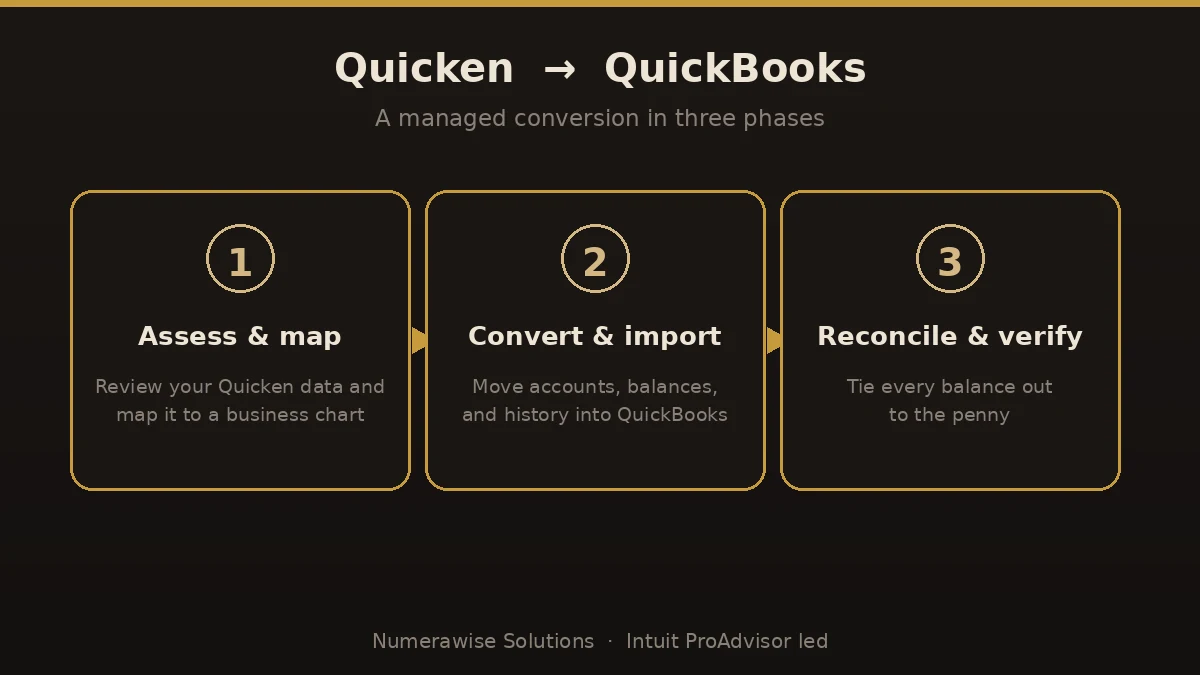
We run every migration the same disciplined way:
- Assess and map. We review your Quicken data and map categories to a proper QuickBooks chart of accounts.
- Convert and import. We move accounts, balances and scoped history into QuickBooks — carefully, not with a blind import.
- Reconcile and verify. We tie balances back to your Quicken numbers, to the penny.
- Go live and support. We set up invoicing, users and (if needed) payroll, and walk you through it.
The payoff
What you gain by switching
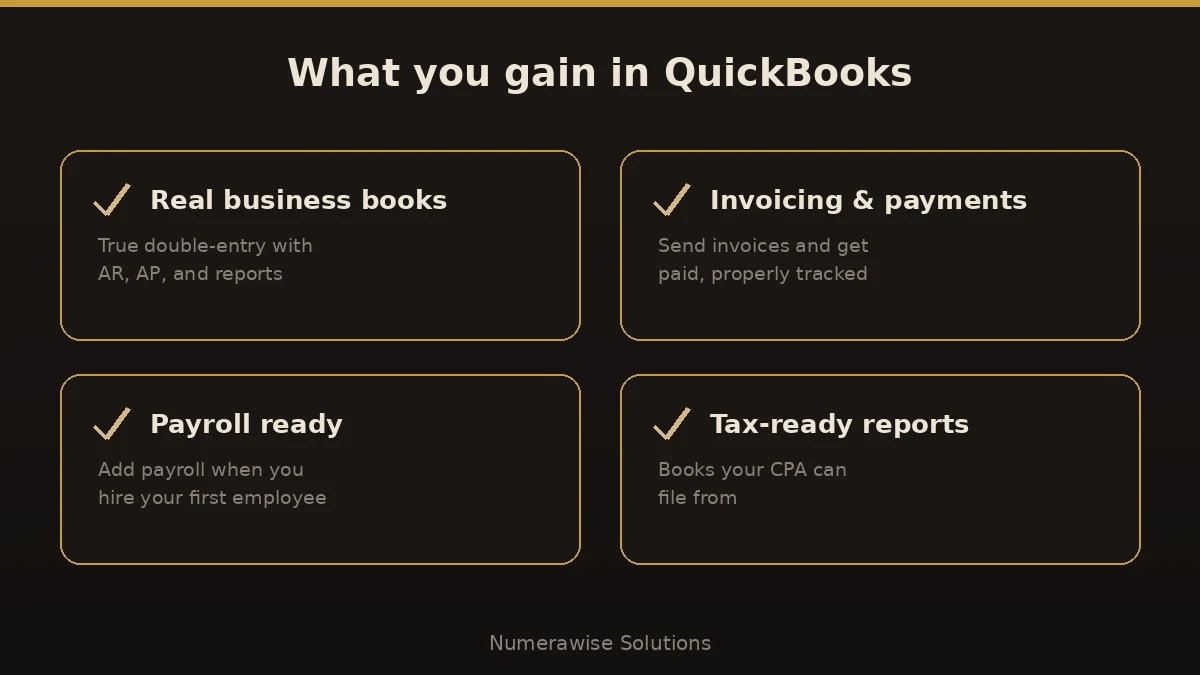
Once the switch is done cleanly, you finally have business-grade books:
- True double-entry accounting
- Invoicing, payments and sales tax
- Accounts receivable and payable
- Payroll when you hire
- Reports your CPA can file from
- Room to grow to multi-user
Pitfalls
Where Quicken conversions go wrong
Where Quicken to QuickBooks conversions go wrong:
- Copying categories blindly. Quicken categories aren’t a business chart of accounts — they need mapping.
- Skipping reconciliation. If balances aren’t verified against Quicken, you can’t trust them.
- Expecting AR/AP to exist. Quicken didn’t track them, so those are set up fresh — plan for it.
- Over-buying. A single-rental owner may not need Enterprise; right-size the edition.
- Going live mid-period. Cut over at month- or year-end to avoid split reporting.
Best practices
How to keep the migration smooth
A smooth migration is a checklist:
- Pick a clean cutover date, ideally month- or year-end.
- Reconcile your Quicken accounts first.
- Map categories to a deliberate chart of accounts.
- Decide how much history you truly need.
- Verify balances in QuickBooks against Quicken.
- Set up invoicing and payroll to match how you work.
Why Numerawise
Why organizations choose us for their Quicken migration
Intuit ProAdvisors
Your records are handled by Intuit ProAdvisors (Gold tier) and experienced bookkeepers who understand the accounting behind the migration, not only the software.
Verified against your Quicken file
A conversion is not considered complete until the trial balance and the primary reports agree with your original records.
Fixed, agreed pricing
The fee is confirmed before the engagement begins. There is no hourly billing.
Confidential throughout
Your information is handled securely and accessed only by the personnel assigned to your conversion. Ongoing bookkeeping is also available.
Who performs the work
Led by an Intuit ProAdvisor

Ram — Founder & Principal
Ram is the founder of Numerawise Solutions in Atlanta. An Intuit ProAdvisor (Gold tier) and a former Intuit Technical Support engineer, he has personally led more than 200 accounting-software conversions, including Quicken and QuickBooks engagements, for small and mid-market firms across the United States.
More about Ram Verified on UpworkFull disclosure
What converts, what’s partially converted, and what isn’t
Quicken is personal-finance software, so this conversion is a restructure, not a copy. Here is exactly where each piece lands:
“Not converted” never means lost: you keep a complete read-only archive of the old system, and anything marked partial or rebuilt is itemized in your written mapping plan before we start — so there are no surprises at go-live.
Common questions
Quicken to QuickBooks conversion FAQs
How long does a Quicken to QuickBooks conversion take?
Most conversions finish within a few business days to about two weeks, depending on how much history you keep and how your Quicken file is structured. After we review your data, you get a firm timeline before any work begins.
Can I convert Quicken to QuickBooks myself?
You can export some data, but Quicken and QuickBooks structure information very differently, so a raw import usually creates a mess. Categories need mapping to a real chart of accounts, and balances must be reconciled. A managed conversion avoids the cleanup.
Will I lose my Quicken history?
No. We migrate your accounts, balances and scoped history, then reconcile against your original Quicken file, which we also archive. You keep a full reference copy and nothing is lost.
Is QuickBooks better than Quicken for a business?
Yes, for running a business. Quicken is personal-finance software; QuickBooks is true business accounting with invoicing, AR/AP, payroll and proper reports. If you only track personal or single-rental finances, Quicken may still be enough.
Should I choose QuickBooks Online or Enterprise?
It depends on size. QuickBooks Online suits most small businesses and landlords; Enterprise fits higher volume, advanced inventory and more users. We recommend the right edition during scoping so you don’t overpay.
Do you reconcile the converted data?
Always. We tie your balances back to your original Quicken numbers, to the penny, before we call the migration done. Reconciliation is what separates a real conversion from a data dump.
Can you convert Quicken Home & Business or Rental Property?
Yes. We handle Quicken Home & Business and Rental Property files, mapping your business and property tracking into a clean QuickBooks setup with the right accounts and classes.
When is the best time to switch?
A clean cutover at month- or year-end is ideal, because it avoids split reporting. We convert any time of year and plan the cutover around your reporting so nothing falls between the two systems.
Who performs the Quicken to QuickBooks conversion?
Intuit ProAdvisors (Gold tier) and experienced bookkeepers who understand the accounting behind the data, not just the software. That keeps balances accurate through the switch.
Begin
Ready to move from Quicken to QuickBooks?
Provide a few details and we will email a fixed-price quote within one business day, with your Quicken history reconciled into a clean QuickBooks file.