MYOB Essentials to QuickBooks Enterprise Conversion Services
Numerawise Solutions migrates your accounts, balances, and complete transaction history from MYOB Essentials into QuickBooks Enterprise through our MYOB Essentials to QuickBooks Enterprise conversion service. Every figure is reconciled against the original file and verified before go-live, and the work is performed by Intuit ProAdvisors.
Complimentary file review · Fixed-price quote within 24 hours · Intuit ProAdvisor Gold
MYOB Essentials → QuickBooks Enterprise
A managed conversion from MYOB Essentials to QuickBooks Enterprise
MYOB Essentials is MYOB's entry-level cloud bookkeeping product. A move to QuickBooks Enterprise should leave you with a clean, fully reconciled set of books. Automated imports regularly fall short of that standard, summarizing history into totals and discarding the reconciliation status that makes the accounts dependable. Numerawise Solutions performs the complete MYOB Essentials to QuickBooks Enterprise migration as a managed engagement, verifying every balance against the original file so the accounts are reliable from the first day.
Numerawise Solutions is an Atlanta-based practice of Intuit ProAdvisors (Gold tier) and experienced bookkeepers, with more than 200 completed conversions. The fee is fixed and agreed before the engagement begins, and your information remains confidential throughout.
A practical guide
Moving your books without losing a thing
Switching accounting software feels a lot like moving house. You want everything to arrive in one piece, nothing lost in a box somewhere, and the lights on the moment you walk in. A MYOB Essentials to QuickBooks Enterprise conversion works the same way. Done right, your history, balances, and lists land cleanly and you keep working. Done poorly, you spend the next tax season untangling numbers that should have matched from day one.
We move books between platforms for a living, and MYOB is one we see often — especially from businesses that have outgrown it or whose accountant works in QuickBooks. This guide walks you through how the conversion actually works, what it costs you in time and risk, and the mistakes we watch people make before they call us. No sales fluff, just the same advice we would give a client sitting across the desk.
A quick clarification
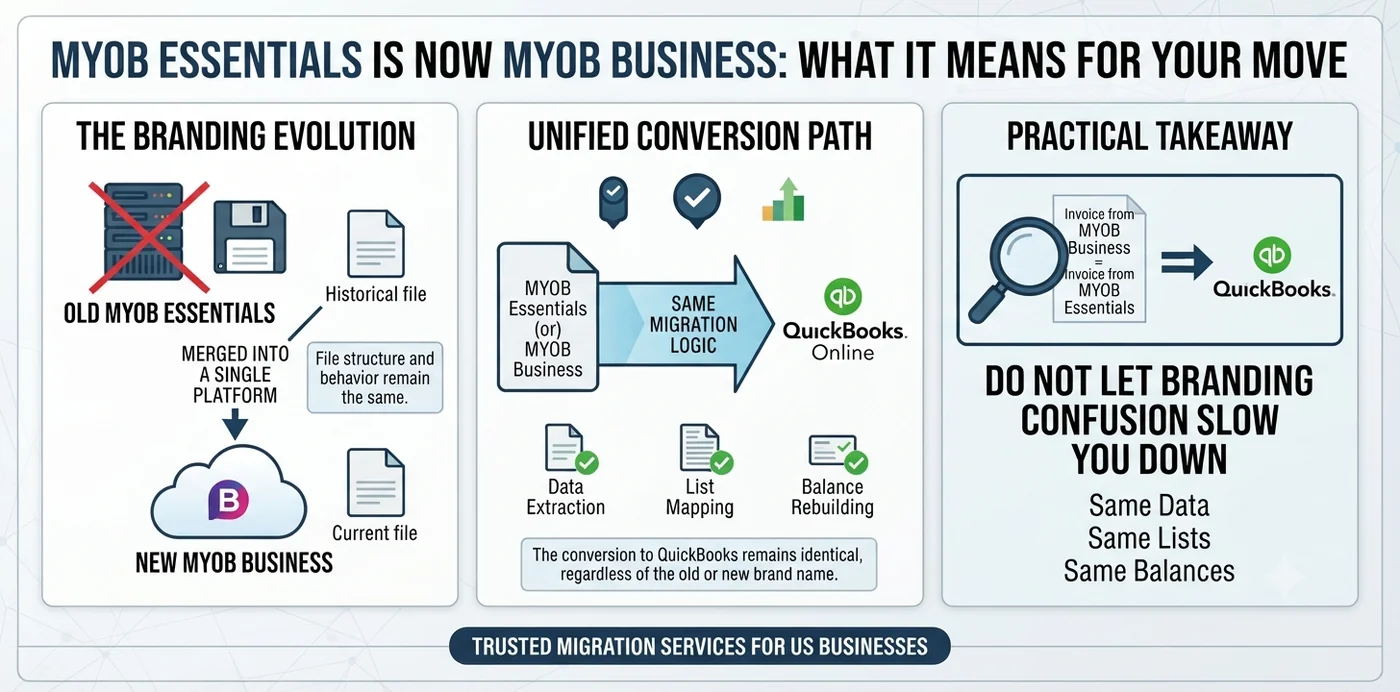
MYOB Essentials is now MYOB Business: what it means for your move
You may have noticed MYOB no longer sells a product called “Essentials.” A few years back, MYOB merged Essentials and AccountRight into a single platform called MYOB Business. If you are an existing Essentials subscriber, your file still looks and behaves the way it always did, so most people still call it Essentials out of habit.
Here is the practical takeaway: whether your invoice says Essentials or MYOB Business, the conversion path to QuickBooks is the same. We pull from the same data, map the same lists, and rebuild the same balances. So do not let the branding confusion slow you down.
The basics
What is a MYOB Essentials to QuickBooks Enterprise conversion?
A MYOB Essentials to QuickBooks Enterprise conversion is the process of moving your accounting data out of MYOB and rebuilding it inside QuickBooks Desktop Enterprise, with your balances intact and your history preserved. The goal is simple: on the day you go live in QuickBooks Enterprise, your reports should match MYOB to the penny.
What data gets converted?
A full conversion usually covers:
- Chart of accounts — your account structure and numbering.
- Customer and supplier lists — contacts, terms, and balances.
- Inventory and item lists — products, services, cost and price data.
- Open invoices and open bills — money owed to you and money you owe.
- Opening balances — a trial balance that ties out to your MYOB books.
- Historical transactions — detail or summary, depending on scope.
Reasons to switch
Why move from MYOB to QuickBooks Enterprise?
MYOB is a solid product, so let us be honest about who actually benefits from switching. This is not a move everyone needs to make. But there are real reasons a business chooses QuickBooks Enterprise instead.
- You have outgrown MYOB’s feature set. QuickBooks Enterprise handles advanced inventory, job costing, class tracking, and complex reporting that smaller MYOB plans do not. Growing product businesses and contractors feel this limit fast.
- You need more users. Enterprise supports far more simultaneous users than entry-level MYOB, which matters once your team scales.
- Your accountant works in QuickBooks. If your bookkeeper, CPA, or firm lives inside QuickBooks, a shared platform removes friction, reduces errors, and speeds up close.
- You are operating in or expanding to the US. MYOB’s tax tools are built around Australian and New Zealand rules. Businesses moving into US operations often want a platform designed for that environment.
- You want a stable Desktop option. Intuit has stopped selling most Desktop editions to new US customers, but QuickBooks Desktop Enterprise remains available and supported, making it the go-to Desktop choice today.
MYOB Essentials vs. QuickBooks Enterprise: quick comparison
| Feature | MYOB Essentials (MYOB Business) | QuickBooks Desktop Enterprise |
|---|---|---|
| Best suited for | Small businesses in AU/NZ | Growing SMBs, product & project-based firms |
| Deployment | Cloud (browser) | Desktop (with cloud hosting option) |
| Advanced inventory | Limited | Robust (Advanced Inventory add-on) |
| Job costing | Basic | Strong, contractor-friendly |
| User capacity | Lower tiers | Up to 40 users |
| Tax localization | Australia / New Zealand | United States |
| Custom reporting | Standard | Advanced, highly customizable |
Our process
How the conversion works
Here is something that surprises people: MYOB has no one-click “export to QuickBooks” button. Anyone promising a magic switch is skipping steps you will pay for later. A real conversion is a structured project, not a button you press and hope.
Scope and planning
We agree on how much history you want. Some clients need a clean opening balance and one or two years of detail. Others want everything. Scope drives cost and timeline, so we settle it first.
Export from MYOB
We pull your lists and transactions out of MYOB into structured spreadsheets — chart of accounts, contacts, items, open AR, open AP, and a trial balance as of your chosen cutover date.
Clean and map the data
This is where the real work lives. We map MYOB accounts to the right QuickBooks accounts, standardize names, remove duplicates, and fix formatting that would otherwise break the import. Skip this and your reports come out wrong.
Import into QuickBooks Enterprise
Using bulk import tools and journal entries, we load lists first, then balances, then transactions in the correct order. Order matters — load a transaction before the customer exists and it fails.
Reconcile and validate
We compare QuickBooks reports against MYOB line by line. Trial balance, AR aging, AP aging, and inventory value all have to tie out. If a number is off by even a dollar, we find the cause before sign-off.
Go live and support
Once everything matches, you start working in QuickBooks. We stay available for the first close so nothing slips.
Rule of thumb: budget two to three weeks for a proper conversion with cleanup, validation, and training. The data transfer is the fast part. Getting it right is what takes time.
The payoff
Benefits of a professional MYOB to QuickBooks migration
A clean MYOB to QuickBooks migration pays you back well beyond go-live day. Here is what you actually gain:
- Balances you can trust. Your opening numbers match MYOB, so you start on solid ground.
- No lost history. Prior-year data stays accessible for comparisons, audits, and lending.
- Faster monthly close. Clean lists and correct mapping mean less cleanup every month.
- Better decisions. Enterprise reporting gives you job costing, class tracking, and inventory insight MYOB could not.
- Audit and lender readiness. Organized books hold up when a bank or the IRS asks questions.
- Peace of mind. You are not second-guessing whether the software “moved everything.”
Pitfalls
Common mistakes to avoid
We get a lot of “rescue” calls — jobs where someone tried a DIY conversion and hit a wall. The same errors show up again and again.
- Not cleaning the data first. Importing messy MYOB lists into QuickBooks just gives you messy QuickBooks lists. Duplicates, typos, and dead accounts follow you across.
- Importing in the wrong order. Transactions rely on customers, vendors, and items already existing. Load out of sequence and the import chokes.
- Ignoring open AR and AP. Skipping unpaid invoices and bills breaks your receivables and payables from day one.
- Assuming payroll history transfers cleanly. It rarely does. Payroll almost always needs to be set up fresh in QuickBooks, with prior figures entered carefully.
- Not reconciling after import. If you never compare the two systems line by line, you will not know it is wrong until tax time — the worst time to find out.
- Picking the wrong cutover date. Converting mid-quarter with half-finished transactions adds needless mess. Clean period boundaries make everything simpler.
- Going live before validation. Working in QuickBooks before the numbers tie out means building new mistakes on top of old ones.
Do it right
Best practices for a smooth conversion
Want the move to go quietly? Follow the same checklist we use.
- Reconcile MYOB before you export. Fix discrepancies at the source. Garbage in, garbage out.
- Choose a clean cutover date. Month-end, quarter-end, or year-end are your friends. Year-end is cleanest of all.
- Back up everything. Keep a full copy of your MYOB file for reference and records retention.
- Decide history depth up front. Know how many years of detail you truly need before you start.
- Map the chart of accounts thoughtfully. This is the backbone. Get it right and everything downstream is easier.
- Run parallel if you can. For a short window, keep both systems open so you can confirm QuickBooks behaves as expected.
- Document your setup. Note your account mapping and decisions so future you (and your accountant) can follow the logic.
If payroll, sales tax, or inventory are heavily involved, lean on a specialist. Those three areas cause the most post-conversion pain, and they are where experience saves you real money.
Why Numerawise
Why choose Numerawise Solutions
Numerawise Solutions is an Atlanta-based accounting firm built around software conversions and hands-on bookkeeping. We are an Intuit QuickBooks ProAdvisor practice, and moving books between platforms is core to what we do, not a side offering. Here is what sets our conversions apart:
- We have done this across platforms. MYOB, Sage, Xero, FreshBooks, and Foundation, all into QuickBooks. We know where each one hides its quirks.
- We reconcile obsessively. Sign-off means your QuickBooks reports match your old books, period. Not “close enough.”
- We handle the hard parts. Construction job costing, multi-state payroll, inventory, and complex charts of accounts are our comfort zone.
- We stay after go-live. Your first close in QuickBooks is when questions surface. We are there for it.
We also support the work that comes after the switch, from ongoing QuickBooks bookkeeping services and payroll services to catch-up and cleanup bookkeeping when your books have fallen behind. If you are weighing other platforms too, our Sage 50 to QuickBooks conversion service follows the same careful, reconcile-everything approach. For product details on the destination software, MYOB’s official site and Intuit’s QuickBooks documentation are the authoritative sources; for records-retention rules, the IRS (irs.gov) publishes clear guidance worth reviewing before you retire any old file.
Final thoughts
Making the move to QuickBooks Enterprise
A MYOB Essentials to QuickBooks Enterprise conversion is not just a data transfer — it is a chance to start clean, tighten your reporting, and put your books on a platform that scales with you. The businesses that come through it smoothly all do the same things: they clean their data first, choose a sensible cutover date, import in the right order, and reconcile until every number ties out. The ones that struggle skip those steps and pay for it later. You do not have to figure it out alone. Whether you tackle the move in-house or hand it to a specialist, treat the conversion as a project with a plan. Get the mapping right, validate the results, and you will walk into QuickBooks Enterprise with books you trust from day one.
In short
Key takeaways
- MYOB Essentials is now MYOB Business, but the conversion path to QuickBooks Enterprise is unchanged.
- QuickBooks Desktop Enterprise is still sold and supported, making it the leading Desktop option for new users.
- A real conversion has no one-click export — it is export, clean, map, import, and reconcile.
- The most important step is cleaning and mapping data before it ever touches QuickBooks.
- Reconcile line by line so your new reports match MYOB exactly before you go live.
- Payroll rarely transfers cleanly and usually needs fresh setup.
- Budget roughly two to three weeks for a proper conversion with validation and training.
Who performs the work
Led by an Intuit ProAdvisor

Ram — Founder & Principal
Ram is the founder of Numerawise Solutions in Atlanta. An Intuit ProAdvisor (Gold tier) and a former Intuit Technical Support engineer, he has personally led more than 200 accounting-software conversions, including MYOB Essentials and QuickBooks Enterprise engagements, for small and mid-market firms across the United States.
More about Ram Verified on UpworkCommon questions
MYOB Essentials to QuickBooks Enterprise conversion FAQs
How long does a MYOB Essentials to QuickBooks Enterprise conversion take?
Most conversions take two to three weeks from start to go-live. The raw data transfer is quick, often a day or two, but cleaning, mapping, importing, and reconciling take the bulk of the time. Larger files with heavy history, inventory, or payroll run longer. A tight scope and a clean cutover date are the fastest ways to shorten the timeline.
Will I lose my transaction history when I switch to QuickBooks?
Not with a proper conversion. You decide how much history to bring over, whether that is a clean opening balance or several years of detail. We preserve what you need and keep a full backup of your MYOB file for reference and records retention. The key is agreeing on history depth before the migration starts.
Does MYOB have a direct export to QuickBooks Enterprise?
No. MYOB has no one-click “export to QuickBooks” feature. A real MYOB to QuickBooks migration means exporting your data to spreadsheets, cleaning and mapping it, then importing into QuickBooks with bulk tools and journal entries. Anyone promising an instant switch is skipping the steps that keep your balances accurate.
Can my opening balances match MYOB exactly after the conversion?
Yes, and they should. A trustworthy conversion is not finished until your QuickBooks trial balance, AR aging, AP aging, and inventory value tie out to MYOB to the penny. We reconcile line by line before sign-off. If a figure is off by even a dollar, that is a signal to find the cause, not to go live.
What happens to my payroll data during a MYOB to QuickBooks migration?
Payroll rarely transfers cleanly between systems. In most cases, payroll is set up fresh in QuickBooks and prior figures are entered carefully so year-to-date totals stay correct. This protects your tax reporting and avoids hidden errors. If payroll is a big part of your books, use a specialist — it is where DIY moves go wrong most often.
Is QuickBooks Enterprise still available to buy?
Yes. While Intuit stopped selling most Desktop editions to new US customers, QuickBooks Desktop Enterprise remains available and supported with no announced end date. It is Intuit’s recommended Desktop solution and supports up to 40 users, advanced inventory, and strong job costing, which is why it suits growing and project-based businesses.
Should I convert mid-year or wait until year-end?
Year-end is the cleanest option because your period is closed and balances are settled. Month-end or quarter-end also work well. Converting mid-period with half-finished transactions adds avoidable mess. If you can time your conversion to a clean period boundary, the whole process gets simpler and faster.
How much does a professional conversion cost?
Cost depends on scope, mainly how much history you bring over and how complex your inventory, payroll, and chart of accounts are. A simple opening-balance conversion costs far less than a multi-year migration with detailed transactions. The safest approach is a scoping review first, so you get a fixed picture before any work begins.
Can I do the MYOB to QuickBooks conversion myself?
You can, but the risk rises with complexity. Simple books with few transactions are DIY-friendly. Once you add inventory, payroll, open invoices, and multiple years of history, the odds of a costly mistake climb. Many of our jobs are rescues from DIY attempts that skipped data cleanup or never reconciled the results.
What is the difference between MYOB Essentials and MYOB Business?
They are the same lineage. MYOB merged Essentials and AccountRight into one platform called MYOB Business, so new customers no longer buy “Essentials” by name. Existing subscribers still see the familiar interface. For conversion purposes it makes no difference — we migrate from the same underlying data regardless of which name your subscription shows.
Begin
Ready to move from MYOB Essentials to QuickBooks Enterprise?
Provide a few details and we will email a fixed-price quote within one business day, with your MYOB Essentials history reconciled into a clean QuickBooks Enterprise file.