Reckon Home & Business to QuickBooks Enterprise Conversion Services
Numerawise Solutions migrates your accounts, balances, and complete transaction history from Reckon Home & Business into QuickBooks Enterprise through our Reckon Home & Business to QuickBooks Enterprise conversion service. Every figure is reconciled against the original file and verified before go-live, and the work is performed by Intuit ProAdvisors.
Complimentary file review · Fixed-price quote within 24 hours · Intuit ProAdvisor Gold
Reckon → QuickBooks Enterprise
A managed conversion from Reckon Home & Business to QuickBooks Enterprise
Outgrowing your desktop books and eyeing a move from Reckon Home & Business to QuickBooks Enterprise? We manage the whole switch — your chart of accounts, customers and suppliers, items, open invoices and bills, balances, and history — and reconcile everything so nothing is lost on go-live day. It’s a managed conversion, not a raw export you’re left to untangle.
Here’s a detail that helps: Reckon Accounts is built on the original QuickBooks Desktop code base, so the two feel familiar and your data structures line up well. A clean Reckon Home & Business to QuickBooks Enterprise migration, run by our QuickBooks conversion services, turns that shared heritage into a smooth move.
Reasons to switch
Why move from Reckon Home & Business to QuickBooks Enterprise
Reckon Accounts Home & Business is a capable desktop product for sole traders and small operators. Businesses usually leave it for the same reason: they’ve grown past what it was built to do.
Room to scale. Home & Business is entry-level. QuickBooks Enterprise supports up to 40 users, advanced inventory, and far deeper reporting — the headroom a growing business needs.
Shared roots, but diverged. Reckon and QuickBooks came from the same Intuit code base, so the switch feels familiar. But the products split years ago, so file formats aren’t interchangeable — you can’t just open a Reckon file in QuickBooks, which is exactly why a proper conversion matters.
Ecosystem and support. QuickBooks connects to thousands of apps and has a huge base of trained bookkeepers, so hiring and integrating get easier.
An honest note: if you’re a very small or sole-trader operation, full Enterprise may be more than you need — QuickBooks Online can be a better fit. We’ll point you to the right tier during scoping.
Side by side
Reckon Home & Business vs. QuickBooks Enterprise
Here’s how the two compare for a business weighing the switch:
| Factor | Reckon Home & Business | QuickBooks Enterprise |
|---|---|---|
| Best fit | Sole traders and small operators | Growing small-to-mid businesses |
| Heritage | Built on original QuickBooks code | The current QuickBooks lineage |
| Users | Single or few users | Up to 40 simultaneous users (Diamond tier) |
| Inventory | Basic | Advanced Inventory add-on |
| Reporting | Standard | Advanced, customizable |
| Staffing pool | Smaller | Large pool of QuickBooks-trained pros |
| Ecosystem | Limited | Thousands of apps and integrations |
If you’ve outgrown a single-user desktop product and need room to scale, QuickBooks Enterprise is built for it.
Scope of the migration
What we migrate from Reckon Home & Business
Because of the shared code lineage, most of your data maps cleanly. On a standard Reckon Home & Business to QuickBooks Enterprise migration, we move:
- Chart of accounts
- Customer and supplier lists
- Item and inventory lists
- Open invoices and bills (AR and AP)
- Trial balance and account balances
- Historical transactions (as scoped)
- Tax codes mapped to QuickBooks
- Reconciled bank and card balances
Before anything moves, we agree on scope with you — how much history you need and how tax codes should map. Tidy bookkeeping services make this faster.
Our process
How we convert Reckon Home & Business to QuickBooks Enterprise, step by step
We run every migration the same disciplined way, so there are no surprises on go-live day:
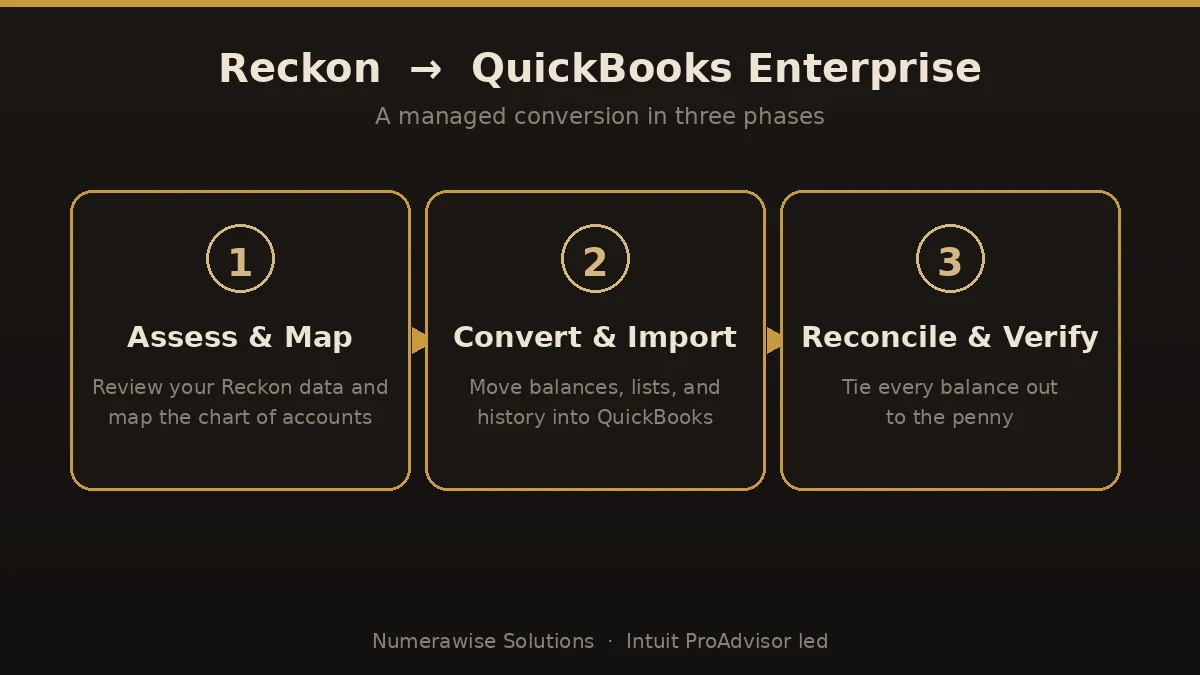
- Assess and map. We review your Reckon file, agree on scope, and map your accounts and tax codes to a clean QuickBooks structure.
- Convert and import. We move lists, balances, open items, and scoped history into QuickBooks Enterprise — carefully, not with a blind bulk import.
- Reconcile and verify. We tie balances, AR, AP, and key reports back to your original Reckon numbers, to the penny.
- Go live and support. We set users and permissions, walk your team through the new file, and stay available afterward.
The payoff
What you gain by switching
Once the switch is done cleanly, the benefits show up quickly:
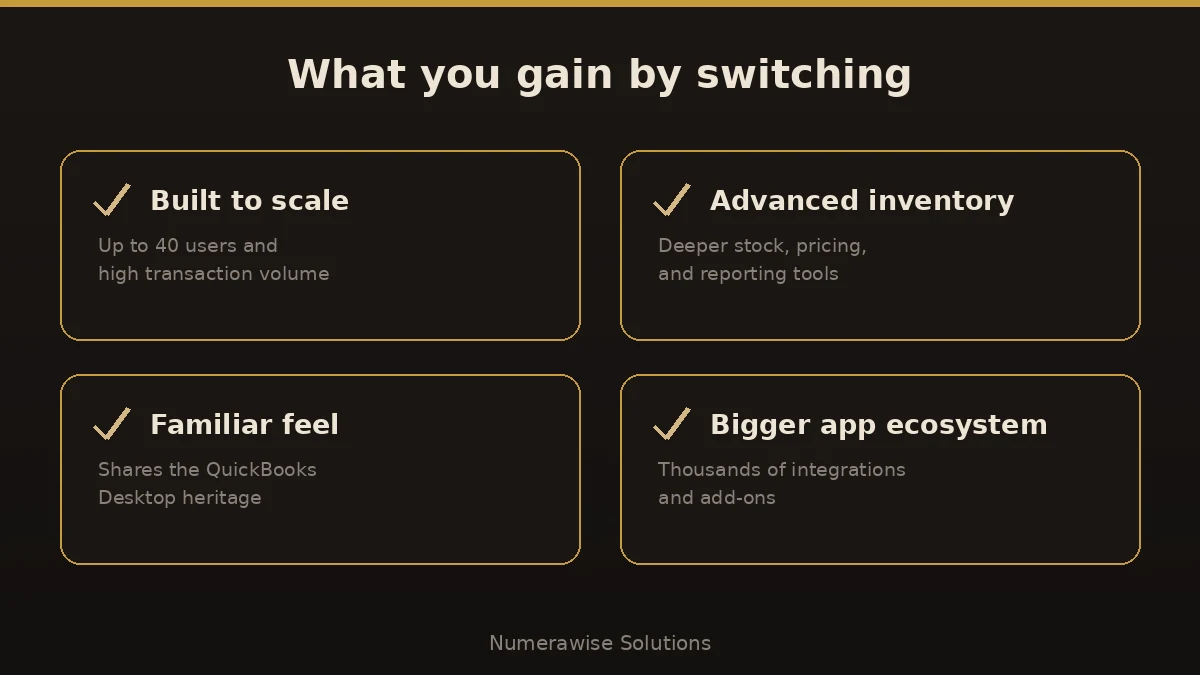
- Room to scale to 40 users
- Advanced inventory and reporting
- A familiar QuickBooks feel from shared heritage
- A huge ecosystem of apps and integrations
- A team that’s far easier to hire for
- A file you own and control
Pitfalls
Where Reckon conversions go wrong
Most migration problems trace back to a few avoidable errors. Here’s where Reckon Home & Business to QuickBooks Enterprise conversions go sideways:
- Assuming the files are interchangeable. Shared heritage doesn’t mean shared file formats. A Reckon file won’t just open in QuickBooks — it needs converting.
- Skipping reconciliation. If the new balances aren’t verified against Reckon, you’re building on numbers you can’t trust.
- Mishandling tax codes. GST and other tax codes need mapping to QuickBooks equivalents, or your tax reporting won’t line up.
- Over-buying. A sole trader jumping straight to Enterprise may pay for capability they won’t use. Right-size the tier first.
- Going live mid-period. A clean cut at period- or year-end avoids split reporting and confusion.
Best practices
How to keep the migration smooth
A smooth migration isn’t luck — it’s a checklist:
- Pick a clean cutover date, ideally at period- or year-end.
- Confirm the right QuickBooks tier for your size before you start.
- Reconcile your Reckon file to the penny first, for a trustworthy baseline.
- Map your chart of accounts and tax codes deliberately.
- Verify AR, AP, and the trial balance in QuickBooks against the originals.
- Keep your Reckon data archived for reference and compliance.
Why Numerawise
Why organizations choose us for their Reckon Home & Business migration
Intuit ProAdvisors
Your records are handled by Intuit ProAdvisors (Gold tier) and experienced bookkeepers who understand the accounting behind the migration, not only the software.
Verified against your Reckon Home & Business file
A conversion is not considered complete until the trial balance and the primary reports agree with your original records.
Fixed, agreed pricing
The fee is confirmed before the engagement begins. There is no hourly billing.
Confidential throughout
Your information is handled securely and accessed only by the personnel assigned to your conversion. Ongoing bookkeeping is also available.
Who performs the work
Led by an Intuit ProAdvisor

Ram — Founder & Principal
Ram is the founder of Numerawise Solutions in Atlanta. An Intuit ProAdvisor (Gold tier) and a former Intuit Technical Support engineer, he has personally led more than 200 accounting-software conversions, including Reckon Home & Business and QuickBooks Enterprise engagements, for small and mid-market firms across the United States.
More about Ram Verified on UpworkCommon questions
Reckon Home & Business to QuickBooks Enterprise conversion FAQs
How long does a Reckon Home & Business to QuickBooks Enterprise conversion take?
Most conversions finish within a few business days to about two weeks. The timeline depends on your file size, how much history you keep, and the condition of the records. Because Reckon and QuickBooks share a code lineage, mapping is often straightforward. You get a firm timeline after we review your file.
Can I just open my Reckon file in QuickBooks Enterprise?
No. Even though Reckon Accounts descends from the original QuickBooks code, the products diverged years ago and the file formats are no longer interchangeable. A proper conversion is required to move your accounts, balances, and history across accurately — which is exactly what we handle.
Will I lose data moving from Reckon Home & Business to QuickBooks Enterprise?
No. We migrate your chart of accounts, customer and supplier lists, items, open invoices and bills, balances, and scoped history, then reconcile them against your original Reckon file. Your Reckon data is archived too, so you keep a full reference copy and nothing is lost.
Do the two products really share a heritage?
Yes. Reckon distributed Intuit’s QuickBooks and Quicken in Australia for over 25 years and built Reckon Accounts on that code base. When Intuit reclaimed the brand, Reckon kept selling under its own name. That shared lineage is why the switch feels familiar to most users.
How do Reckon tax codes map to QuickBooks?
They need deliberate mapping, not a blind copy. GST and other tax codes are translated to their QuickBooks equivalents so your tax reporting stays accurate. We handle this during setup and flag anything that needs attention before importing transactions.
Should I choose QuickBooks Enterprise or QuickBooks Online?
It depends on size. Enterprise suits growing businesses needing up to 40 users, advanced inventory, and deep reporting. A sole trader or very small operation may be better served by QuickBooks Online. We recommend the right tier during scoping so you don’t overpay.
Do you reconcile the converted data?
Always. Reconciliation is the difference between a real conversion and a data dump. We tie your balances, accounts receivable, accounts payable, and key reports back to your original Reckon numbers, to the penny, before we call the migration done.
When is the best time to switch?
A clean cutover at the end of a period or fiscal year is ideal, because it avoids split reporting mid-period. We convert files any time of year, but if timing is tricky we plan the cutover around your reporting so nothing falls between the two systems.
Who performs the Reckon to QuickBooks Enterprise conversion?
Your migration is handled by Intuit ProAdvisors (Gold tier) and experienced bookkeepers who understand the accounting behind the data, not just the software. That combination keeps balances and tax codes accurate through the switch.
Begin
Ready to move from Reckon Home & Business to QuickBooks Enterprise?
Provide a few details and we will email a fixed-price quote within one business day, with your Reckon Home & Business history reconciled into a clean QuickBooks Enterprise file.