Let’s be fair to Sage 100 Contractor first. It has been a go-to for small and mid-size contractors for two decades, with native certified payroll, AIA progress billing, retainage tracking, and deep job costing. If it still fits, you may not need to move at all.
But some contractors outgrow it. They open a second entity, want the books in the cloud instead of on an office server, or want to sit inside the Intuit family alongside QuickBooks tools. That is when a Sage 100 Contractor to Intuit Enterprise Suite move starts to make sense — and when planning it properly matters most.
What is Intuit Enterprise Suite, and why contractors consider it
Intuit Enterprise Suite is Intuit’s cloud platform for mid-market businesses that have outgrown QuickBooks Online but do not want a heavy ERP. It adds native multi-entity management, dimensional reporting, deeper automation, and built-in payroll. In 2026, Intuit shipped a construction-focused edition with real-time job cost visibility and reporting built for construction sub-industries.
For a contractor, the appeal is keeping job-level detail while gaining a cloud system the whole team can reach, plus real multi-entity consolidation. That combination is the reason a Sage 100 Contractor to Intuit Enterprise Suite conversion is worth planning carefully rather than treating as a quick export.
What data moves in a Sage 100 Contractor data migration
The value in Sage 100 Contractor is years of job history. A real Sage 100 Contractor data migration maps that history to how IES organizes information — using dimensions and projects.
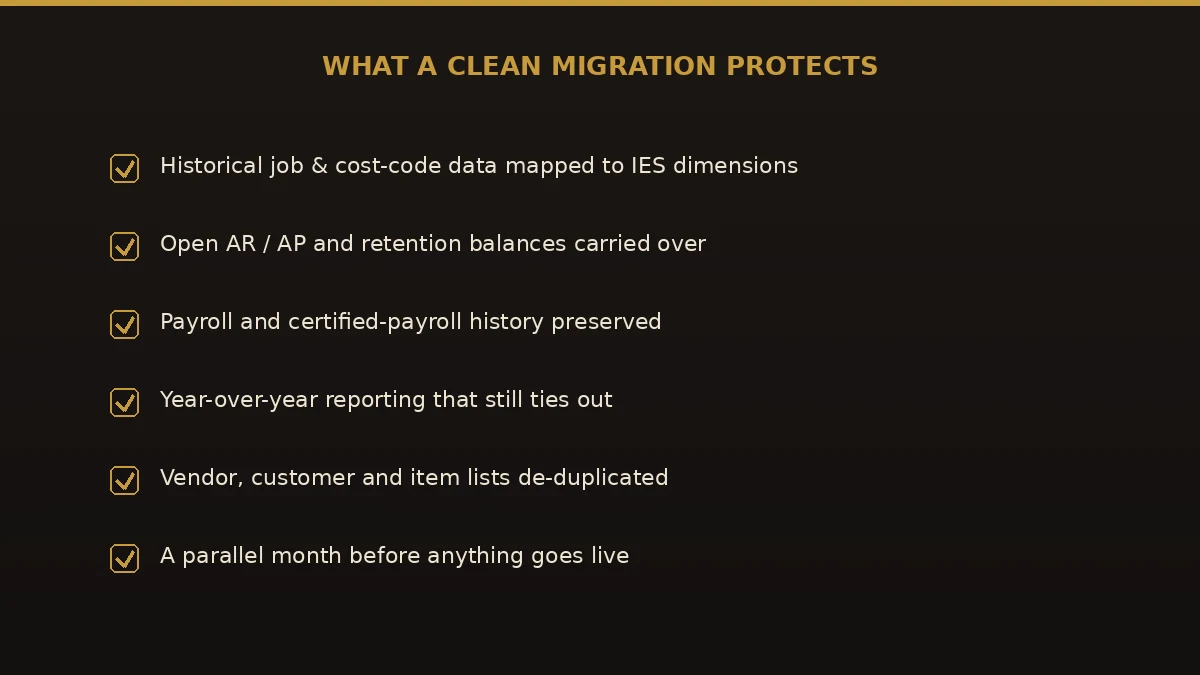
- Chart of accounts — rebuilt in IES and usually tidied along the way.
- Jobs and cost codes — mapped to IES projects and dimension values.
- Customers, vendors, and items — de-duplicated as they come across.
- Open AR, AP, and retention — carried as open items so nothing is lost at cutover.
- Trial balance and job history — brought over so prior years still report.
- Payroll and certified-payroll history — preserved for compliance and reporting.
Not everything maps one-to-one. Some Sage 100 Contractor reports and workflows have no exact match in IES and get rebuilt as dimensional reports. Knowing that up front keeps your first month-end calm.
How to migrate Sage 100 Contractor to Intuit Enterprise Suite, step by step
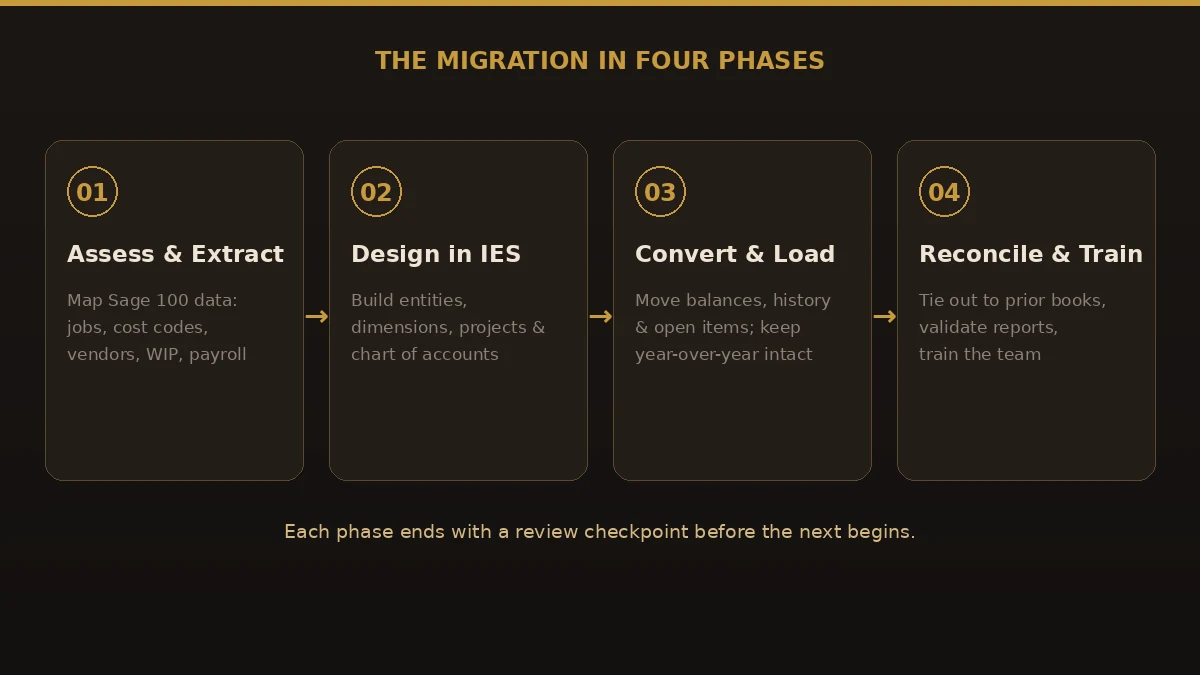
When we migrate Sage 100 Contractor to Intuit Enterprise Suite, we run four phases. Each ends with sign-off before the next begins, so problems surface early — not at go-live.
- Assess and extract. Inventory your Sage 100 Contractor setup: jobs, cost-code structure, open balances, payroll items, and the reports you rely on. Export the underlying data.
- Design in IES. Build the target: entity hierarchy, dimensions, projects, and a clean chart of accounts — designed in, not carried forward as clutter.
- Convert and load. Map and import balances, history, and open items, validating year-over-year figures so comparisons still hold.
- Reconcile, run parallel, and train. Tie IES back to your last Sage 100 Contractor reports to the dollar, run a parallel period, then train the team before retiring the old system.
Sage 100 Contractor vs Intuit Enterprise Suite: an honest comparison
Neither system is simply "better." They are built for different priorities. This is the trade-off at the heart of any Sage 100 Contractor upgrade to Intuit Enterprise Suite:
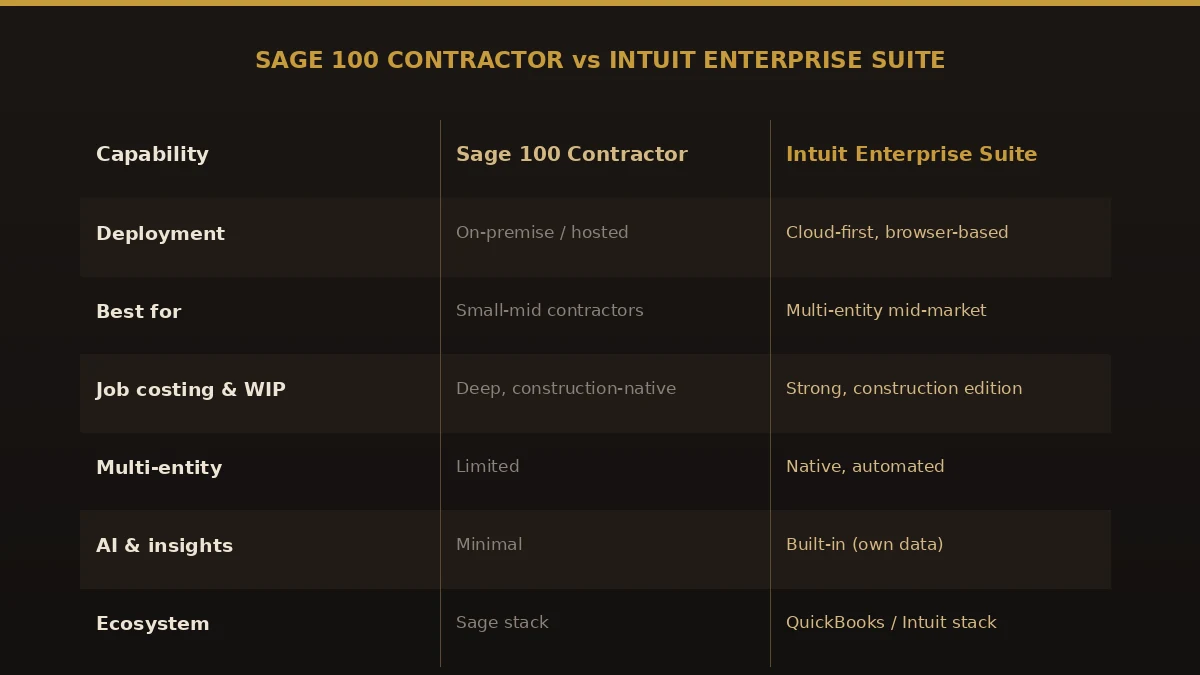
| Capability | Sage 100 Contractor | Intuit Enterprise Suite |
|---|---|---|
| Deployment | On-premise or hosted | Cloud-first, browser-based |
| Built for | Small-to-mid contractors | Multi-entity mid-market, incl. construction |
| Job costing & WIP | Deep, construction-native | Strong; newer construction edition |
| Certified payroll | Native | Supported; confirm for your job types |
| Multi-entity | Limited | Native and automated |
| Ecosystem | Sage stack | QuickBooks / Intuit stack |
Benefits of a Sage 100 Contractor to Intuit Enterprise Suite migration
When the fit is right, contractors who complete a Sage 100 Contractor to Intuit Enterprise Suite migration tend to gain:
- Anywhere access. A cloud system reachable from the office, the field, or a phone.
- Real multi-entity reporting. Consolidate related companies natively, with automated intercompany handling.
- Dimensional insight. Slice results by job, division, or project manager without exporting to spreadsheets.
- Built-in AI. Trend and variance signals drawn from your own transaction history.
- One ecosystem. Payroll, payments, and reporting inside the Intuit family.
Common mistakes to avoid
- Treating it as an export/import. Sage 100 Contractor and IES organize data differently; a raw dump lands job costs in the wrong place.
- Skipping the design phase. Copying an old chart of accounts forward carries every problem with it.
- Migrating mid-period. Cutting over inside a job or a payroll quarter creates reconciliation headaches. Pick a clean break, and if your Business Care renewal falls before year-end, the Sage 100 Contractor renewal worksheet explains why the plan stays active through W-2 season either way.
- Ignoring certified payroll. If you run prevailing-wage jobs, confirm how IES handles certified payroll before you commit.
- No parallel run. Going live untested means finding errors in real reports, in front of your CPA or surety.
Best practices for a clean migration
- Start from a clean Sage 100 Contractor period. Reconcile and close cleanly before extracting anything.
- Design the target first. Agree the entity, dimension, and project structure before loading a balance.
- Map cost codes deliberately. Your job-costing history is the crown jewel — map it, do not guess it.
- Run parallel for at least one period. Compare IES output to Sage 100 Contractor side by side until they match.
- Train before you retire the old system. Keep Sage 100 Contractor read-only until the team is confident.
Why choose Numerawise Solutions
We are a QuickBooks and Intuit-focused accounting firm that moves businesses onto the Intuit platform for a living. A Sage 100 Contractor to Intuit Enterprise Suite migration is squarely what we do: we assess the fit honestly, design the IES structure around how you actually run jobs, convert the data, and reconcile it back to your last Sage 100 Contractor reports before anything goes live. You keep ownership of your data throughout and get a fixed scope before we begin. Our Sage 100 Contractor migration services cover the full Sage 100 Contractor data conversion — extraction, mapping, and penny-accurate reconciliation. If IES is not the right destination, we will say so — and point you at a better path, including our Foundation to Intuit Enterprise Suite and other conversion services.
The bottom line
A Sage 100 Contractor to Intuit Enterprise Suite migration is a real upgrade for the right contractor: cloud access, native multi-entity reporting, and the Intuit ecosystem, with your job-costing history carried across intact. The risk is never the software — it is a rushed, undesigned data move. Design the target, map your cost codes, run a parallel period, and the conversion becomes a non-event. If you are weighing the move, talk to a specialist who does Sage 100 Contractor data migration work before you commit to a date.
Key takeaways
- A Sage 100 Contractor to Intuit Enterprise Suite migration suits contractors who want cloud access and multi-entity reporting inside the Intuit ecosystem.
- Sage 100 Contractor has deep native construction features; IES is cloud-first and multi-entity — assess the fit honestly first.
- The real work is a Sage 100 Contractor data migration: mapping jobs, cost codes, balances, and payroll history to IES dimensions.
- Run four phases with a parallel period, and cut over on a clean break, never mid-job or mid-quarter.
Quick answers.
What is a Sage 100 Contractor to Intuit Enterprise Suite migration?
It is the process of moving a construction business off Sage 100 Contractor and onto Intuit Enterprise Suite (IES). A proper Sage 100 Contractor to Intuit Enterprise Suite migration transfers your chart of accounts, jobs, cost codes, open balances, and payroll history, mapping them to how IES organizes data so your reporting still ties out.
How long does a Sage 100 Contractor to Intuit Enterprise Suite conversion take?
Most small-to-mid contractors complete a Sage 100 Contractor to Intuit Enterprise Suite conversion in a few weeks to a couple of months. Timing depends on how many entities and years of history are involved, how clean the data is, and how much certified-payroll and job-costing detail must carry across. A parallel period adds time but cuts risk.
Will I lose my job costing and WIP history when I migrate Sage 100 Contractor to Intuit Enterprise Suite?
Not if it is planned. When we migrate Sage 100 Contractor to Intuit Enterprise Suite, job and cost-code history is mapped to IES projects and dimensions so year-over-year comparisons hold. The danger is a raw export/import that dumps data in the wrong structure. Deliberate mapping keeps your job costing intact.
Is Intuit Enterprise Suite good for construction companies?
Increasingly, yes. Intuit shipped a construction-focused edition of IES in 2026 with real-time job cost visibility and construction reporting. It suits multi-entity contractors who want the cloud and the Intuit ecosystem. Dedicated tools like Sage 100 Contractor still have deeper niche features, so the right choice depends on your priorities.
Should I move from Sage 100 Contractor if it still works?
Not necessarily. Sage 100 Contractor is a mature, capable construction platform. A Sage 100 Contractor upgrade to Intuit Enterprise Suite makes sense when you need cloud access, multi-entity consolidation, or the Intuit ecosystem. If none of those apply, staying put can be the right call. We will tell you honestly which way the evidence points.
How much does a Sage 100 Contractor data migration cost?
There are two costs: the IES subscription and the migration project. Independent analysts estimate IES runs roughly $8,000 a year for a single entity and $12,000 to $15,000 or more for multi-entity setups; Intuit sells it through a sales team rather than list pricing. The Sage 100 Contractor data migration is scoped separately based on entities, history, and complexity.
Can certified payroll data come across in the migration?
Certified-payroll and payroll history can be preserved during a Sage 100 Contractor to Intuit Enterprise Suite migration, which matters if you run prevailing-wage jobs. Because payroll handling differs between the two systems, confirm exactly how IES will manage certified payroll for your job types before you set a cutover date.
Do I have to migrate all my historical data?
No. Many contractors bring over open items plus one to five years of history, and archive the rest as read-only exports from Sage 100 Contractor. Bringing across less data can speed up the conversion, but keep enough history for year-over-year reporting, tax, and any bonding or lending requirements.
What is the biggest risk in a Sage 100 Contractor to Intuit Enterprise Suite migration?
Skipping the design and parallel-run steps. The two systems structure data differently, so a rushed conversion misplaces job costs and breaks WIP. The fix is simple discipline: design the IES structure first, map cost codes deliberately, and run a parallel period until IES matches Sage 100 Contractor to the dollar.
Get a free scoping call.
Tell us what you’re working on. We respond same business day.

Ram · Founder & Principal
Founder of Numerawise Solutions, established MMXXIV in Atlanta. Intuit ProAdvisor Gold tier. Former Intuit Technical Support engineer. Has personally led two hundred accounting software conversions for US small businesses since founding the practice. Reachable directly at [email protected].
Free: The Clean-Cutover Checklist
The step-by-step checklist we use to migrate businesses to QuickBooks without losing data — bank rec, opening balances, payroll YTD, and the validation tie-out. Get it in your inbox.
No spam — just the checklist and the occasional QuickBooks tip.
Other Intuit Enterprise Suite migrations
Viewpoint Vista · Sage 300 CRE · Foundation · Sage Intacct (construction)
Related: QuickBooks Online Advanced vs Intuit Enterprise Suite