What Is QuickBooks Payroll?
A plain-English guide to QuickBooks Payroll — what it is, how it works, its features and plans, how it compares to Gusto and ADP, and whether it is right for your small business.
Every business that pays people has to run payroll — and payroll is unforgiving. Pay someone late, miscalculate a tax, or file a form wrong, and you can face penalties, unhappy staff, or an IRS notice. That is why so many owners ask the same question: what is QuickBooks Payroll, and can it take this off my plate? This guide answers that in full — what it is, how it works, what it costs in general terms, how it compares to Gusto, ADP, and others, and where it falls short.
Payroll mistakes are expensive. The IRS assesses billions in payroll-related penalties every year, and most come from small, avoidable errors — a missed deposit deadline, a misclassified worker, a wrong tax rate. QuickBooks Payroll exists to automate exactly those risky steps. By the end of this guide, you will know whether it fits your business, and how to run it without the mistakes that cost owners the most.
Need Help Managing Payroll?
Numerawise Solutions sets up, runs, and cleans up QuickBooks Payroll for US businesses. Talk to a payroll expert today.
Get StartedWhat is QuickBooks Payroll?
QuickBooks Payroll is a payroll management software from Intuit, the maker of QuickBooks. It calculates wages, withholds and pays payroll taxes, deposits pay directly into employee bank accounts, and generates the reports and tax forms a business needs to stay compliant. Because it is built by Intuit, it connects directly to QuickBooks accounting, so every payroll run flows into your books automatically.
It comes in two forms:
- QuickBooks Online Payroll — the cloud version, run from any browser or the mobile app. This is where Intuit has focused its development, and it is the version most new users choose.
- QuickBooks Desktop Payroll — the add-on for the installed Desktop software. Intuit is phasing this out; QuickBooks Desktop 2023, including its payroll services, is being discontinued after May 31, 2026, pushing users toward the cloud.
At its core, QuickBooks Payroll does five things well: it manages employees (pay rates, deductions, benefits), calculates pay and taxes automatically, pays people by direct deposit or check, files payroll taxes with the right agencies, and keeps you compliant with changing federal, state, and local rules. Its biggest advantage over standalone payroll tools is that tight integration with QuickBooks accounting — payroll and books stay in sync without double entry.
Expert insight
If you already keep your books in QuickBooks, adding QuickBooks Payroll usually beats a separate payroll app on convenience alone — one login, one dataset, and no reconciling payroll between two systems. The integration is the real selling point.
How does QuickBooks Payroll work?
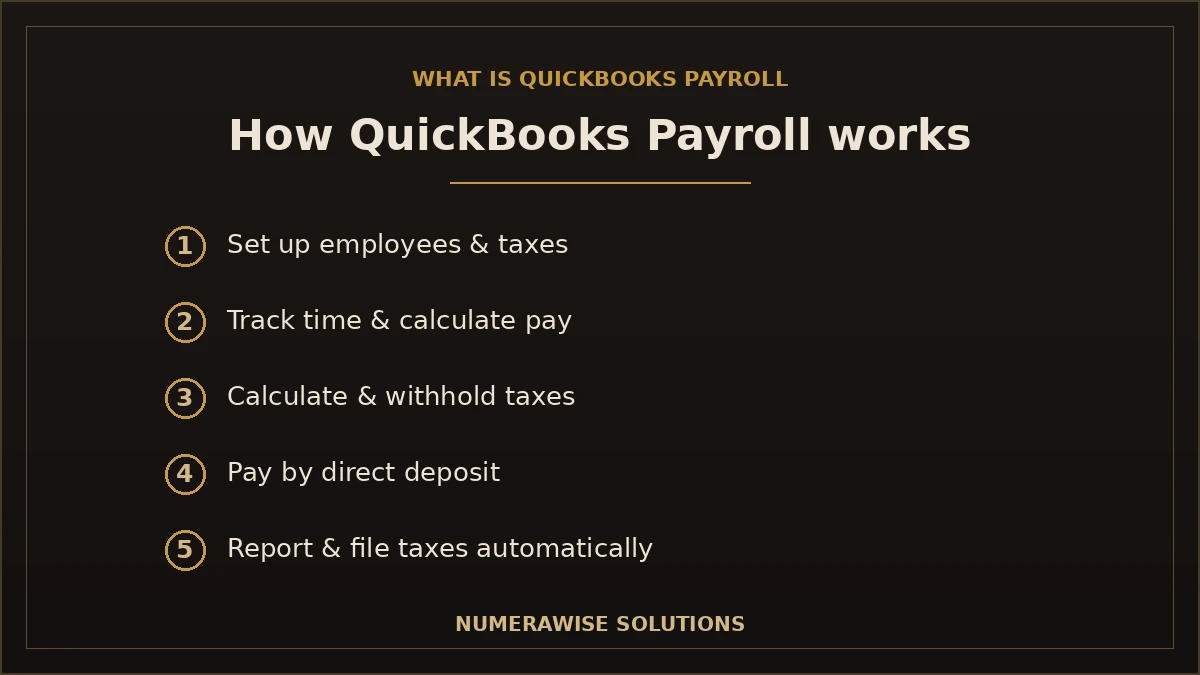
Once it is set up, running payroll is a short, repeatable process. Here is the full workflow, from adding an employee to filing taxes:
Step 1: Employee setup
You add each employee once — name, pay rate, schedule, tax withholding details, and any deductions or benefits. Employees can enter their own details through a self-service portal, which saves you time and reduces errors.
Step 2: Time tracking
For hourly staff, hours flow in from time tracking (built into higher plans) so you are not keying timesheets by hand. Salaried employees are set once and run automatically.
Step 3: Payroll calculation
QuickBooks calculates gross pay, overtime, bonuses, and deductions for each employee. You review the numbers before approving — nothing is paid without your sign-off.
Step 4: Tax calculation
It automatically calculates federal, state, and local payroll taxes — income tax withholding, Social Security, Medicare, and unemployment — using current rates, so you are not looking up tables.
Step 5: Direct deposit
Approved pay is deposited straight into employee bank accounts. Depending on your plan, deposits arrive next day or same day. You can also print checks if you prefer.
Step 6: Payroll reports
Every run produces reports — pay stubs, payroll summaries, tax liabilities, and labor cost by employee or department — that flow straight into your QuickBooks books.
Step 7: Tax filing
QuickBooks files your payroll tax forms and pays the taxes to the right agencies on schedule. On higher plans this is fully automatic, so deadlines are handled for you.
Actionable tip
Run payroll two banking days before payday. Direct deposit is not instant on every plan, and the extra buffer means employees are never paid late because of a bank cutoff or holiday.
Key features of QuickBooks Payroll
QuickBooks Payroll bundles a lot into one tool. The features that matter most to small businesses:
- Automatic payroll. Set salaried employees to run on autopilot, so payroll happens on schedule without you lifting a finger.
- Direct deposit. Pay employees straight to their bank accounts, next day or same day depending on your plan.
- Payroll tax calculation. Federal, state, and local taxes calculated automatically with current rates, every run.
- Automatic tax filing. On most plans, QuickBooks files your payroll tax forms and pays the taxes on time for you.
- Employee self-service portal. Staff view pay stubs, W-2s, and tax details and update their own information online.
- Contractor payments. Pay 1099 contractors alongside employees, with year-end 1099 forms handled.
- Time tracking. Built-in time tracking (higher plans) feeds hours straight into payroll — no manual timesheets.
- Benefits management. Administer health benefits and workers’ compensation, and track deductions accurately.
- W-2 preparation. Year-end W-2 forms are prepared and filed for your employees automatically.
- 1099 filing. Contractor 1099 forms are prepared and filed at year-end, keeping you compliant.
- Payroll reports. Detailed reports on labor cost, tax liability, and pay history, integrated with your books.
- Mobile payroll. Run payroll and approve pay from your phone through the QuickBooks mobile app.
- Multi-state payroll. Pay employees who live or work in different states, with the right taxes for each.
Talk to a Payroll Expert
Not sure which features or plan you need? A Numerawise payroll specialist will map QuickBooks Payroll to your business.
Get Started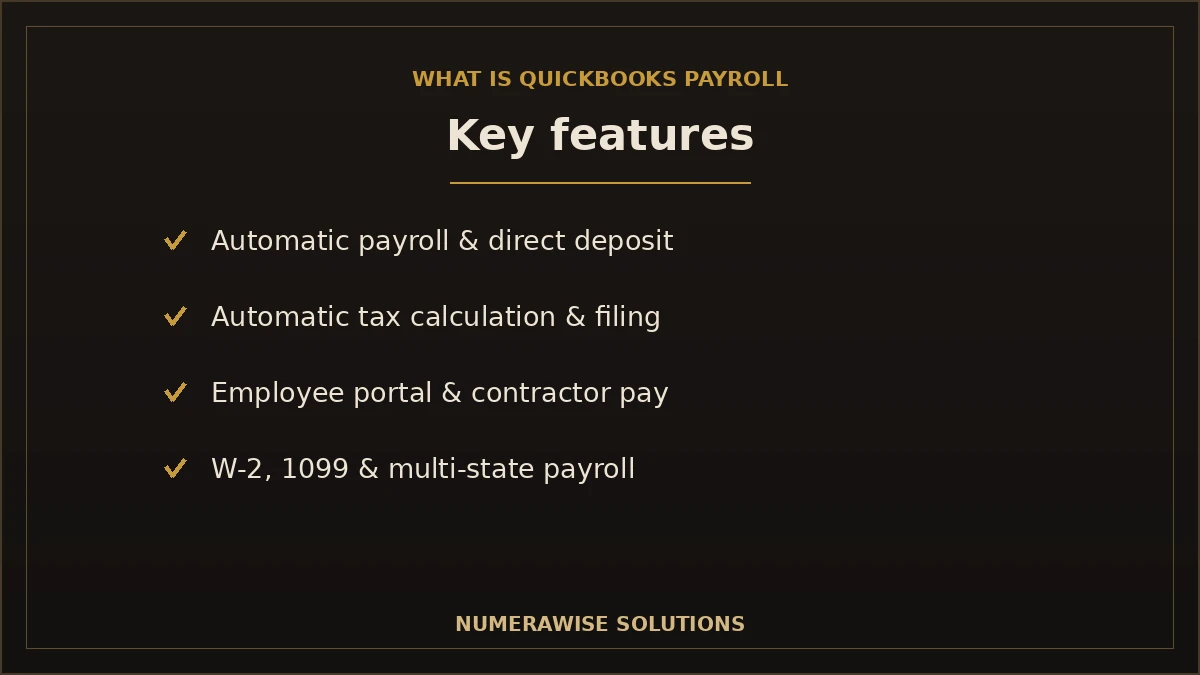
Benefits of QuickBooks Payroll
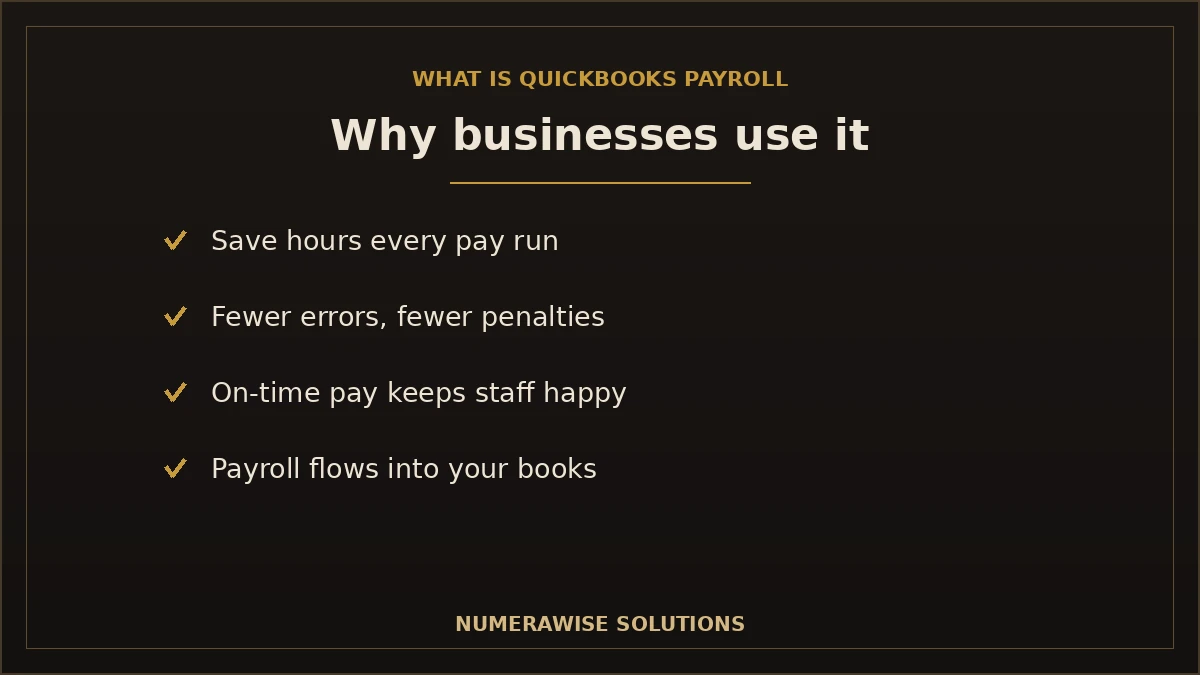
Beyond the feature list, here is what those features actually deliver:
- Save time. What took hours of spreadsheets and tax lookups takes minutes.
- Reduce payroll errors. Automatic calculations remove the math mistakes that cause penalties.
- Stay IRS-compliant. Current tax rates and automatic filing keep you on the right side of deadlines.
- Automatic calculations. Overtime, deductions, and taxes are computed for you, every run.
- Easy reporting. Labor cost and tax reports are a click away and flow into your books.
- Employee satisfaction. Reliable, on-time pay and self-service access keep staff happy.
- Cloud accessibility. Run payroll from anywhere, on any device.
- Integration with accounting. Payroll posts to QuickBooks automatically — no double entry, no reconciling two systems.
Who should use QuickBooks Payroll?
QuickBooks Payroll fits a wide range of businesses, and a few in particular:
- Small businesses that want payroll handled without hiring for it.
- Retail shops juggling hourly staff and changing schedules.
- Restaurants managing tips, hourly wages, and high turnover.
- Construction firms tracking labor across jobs and, sometimes, states.
- Healthcare practices with mixed hourly and salaried staff.
- Professional services that want simple, reliable payroll with clean books.
- CPA firms running payroll for multiple clients from one platform.
- Bookkeepers who keep client payroll and books in the same system.
- Nonprofits needing compliant payroll on a tight budget.
The common thread: if you already use QuickBooks — or plan to — adding payroll keeps everything in one place. For businesses that would rather not touch payroll at all, our payroll services run it for you inside QuickBooks.
QuickBooks Payroll plans
QuickBooks Online Payroll comes in three tiers — Core, Premium, and Elite (recently also branded as Workforce Payroll, Premium, and Elite). Each builds on the one below. Because Intuit changes pricing and packaging regularly, treat the details below as a general guide and confirm current specifics on Intuit’s site before you buy.
| Plan | Adds over the tier below | Best for |
|---|---|---|
| Core | Full-service payroll: automatic payroll, tax calculation and filing, next-day direct deposit, year-end forms, employee portal | Small businesses with straightforward payroll |
| Premium | Same-day direct deposit, built-in time tracking, workers’ comp administration, HR support | Growing businesses that want time tracking and HR help |
| Elite | Tax penalty protection, a personal HR advisor, and expert setup | Businesses that want maximum support and protection |
All three tiers file your payroll taxes; the higher plans add faster deposits, time tracking, HR resources, and, on Elite, protection against certain tax penalties. Most small businesses start on Core and move up as they add staff. Pricing is typically a monthly base fee plus a per-employee fee, and it changes over time — so plan features, not this quarter’s price, should drive your choice.
Which plan?
Choose Core if payroll is simple and you handle HR yourself. Choose Premium if you need time tracking or light HR support. Choose Elite if tax-penalty protection and hands-on setup are worth the premium — often the case for busier or multi-state employers.
QuickBooks Payroll vs. other payroll software
QuickBooks Payroll is one of several strong options. Here is an honest look at how it compares to the biggest names — on the factors that actually matter.
| Software | Pricing approach | Ease of use | Best for |
|---|---|---|---|
| QuickBooks Payroll | Monthly base + per employee | Very easy, especially with QuickBooks | QuickBooks users wanting payroll + books in one place |
| Gusto | Monthly base + per employee | Very easy, modern interface | Small businesses wanting strong HR and a friendly UI |
| ADP | Custom quotes, scales up | Powerful but more complex | Larger or fast-scaling companies needing deep HR |
| Paychex | Custom quotes | Full-service, rep-driven | Businesses wanting a dedicated payroll specialist |
| Square Payroll | Low base + per employee | Simple, retail-friendly | Square POS users and tip-heavy businesses |
| Rippling | Modular, per-module | Feature-rich, steeper setup | Tech-forward companies unifying HR, IT, and payroll |
| Software | Automation | Tax filing | HR features | Integrations |
|---|---|---|---|---|
| QuickBooks Payroll | High | Automatic | Moderate (more on higher plans) | Best-in-class with QuickBooks |
| Gusto | High | Automatic | Strong | Broad |
| ADP | High | Automatic | Extensive | Broad |
| Paychex | High | Automatic | Extensive | Broad |
| Square Payroll | Moderate | Automatic | Basic | Best with Square |
| Rippling | Very high | Automatic | Extensive | Very broad |
The short version: if your books live in QuickBooks, QuickBooks Payroll is usually the most convenient choice because the integration removes double work. Gusto is the go-to when HR and user experience lead the decision. ADP and Paychex suit larger or more complex employers who want deep HR and a dedicated rep. Square fits retail and tip-based businesses already on Square, and Rippling appeals to tech companies unifying many systems.
The honest take
No payroll software is best for everyone. If you are choosing mainly on integration and simplicity, QuickBooks Payroll wins for QuickBooks users. If HR depth is your priority, look hard at Gusto, ADP, or Paychex.
QuickBooks Payroll pros
- Deep integration with QuickBooks accounting
- Automatic payroll tax calculation and filing
- Next-day and same-day direct deposit options
- Easy to learn for existing QuickBooks users
- Automatic payroll for salaried staff
- Employee self-service portal
- Pays both employees and 1099 contractors
- Built-in time tracking on higher plans
- Handles W-2 and 1099 year-end forms
- Multi-state payroll support
- Mobile payroll from any device
- Tax penalty protection on the Elite plan
- Detailed, integrated payroll reports
- Trusted, widely used Intuit product
- Easy for accountants and bookkeepers to access
- Scales from one employee to a growing team
QuickBooks Payroll cons
An honest guide names the downsides too:
- Learning curve. Setup and first runs take time to get right, especially for taxes and deductions.
- Subscription cost. It is an ongoing monthly fee plus per-employee charges, which adds up as you grow.
- Advanced HR is limited. Dedicated HR platforms like Gusto, ADP, or Rippling go deeper on HR.
- Best features sit on higher plans. Same-day deposit, time tracking, and penalty protection require Premium or Elite.
- Support quality varies. Like most large software, help experiences are inconsistent — a reason many businesses use a specialist partner.
How to avoid the learning curve
Most payroll pain happens in setup — wrong tax settings, missed state registrations, misclassified workers. Having a professional set it up correctly once removes the errors that trigger penalties later.
Common payroll mistakes businesses make
Software helps, but these mistakes still catch owners — and QuickBooks Payroll, set up right, prevents most of them:
- Running payroll late. Missed deposit deadlines mean IRS penalties and unhappy staff.
- Tax penalties. Wrong rates or missed filings are the most common and costly errors.
- Employee misclassification. Treating an employee as a 1099 contractor invites back taxes and fines.
- Manual spreadsheets. Hand-calculated payroll is error-prone and hard to audit.
- Wrong deductions. Miscalculated benefits or garnishments create compliance problems.
- Incorrect overtime. Getting overtime wrong under federal or state rules leads to wage claims.
- Poor record keeping. Missing payroll records fail audits and complicate taxes.
You can confirm current federal payroll-tax rules with the IRS employment taxes guide and overtime rules with the US Department of Labor. Better still, let a payroll professional keep you compliant so you never have to become the expert.
How to set up QuickBooks Payroll correctly
Most payroll problems are born at setup, so it is worth getting right. A correct setup covers a few essentials:
- Register for payroll taxes first. You need federal (EIN) and state payroll tax accounts before you run payroll, or filings will fail.
- Enter accurate employee details. Correct withholding (from each W-4), pay rates, and start dates prevent tax errors.
- Set the right pay schedule. Weekly, biweekly, or semimonthly — consistent and compliant with your state.
- Configure deductions and benefits so health premiums, retirement, and garnishments calculate correctly.
- Enter year-to-date totals if you are switching mid-year, so W-2s and taxes stay accurate.
- Run a test and reconcile the first payroll against your expectations before it goes live.
Each of these is a place errors creep in — a wrong state setting or a misclassified worker can cost far more than professional setup would. This is the single highest-value moment to bring in an expert.
Keeping payroll and your books in sync
Payroll is not just about paying people — it lands in your financial statements as one of your largest expenses. When QuickBooks Payroll is connected to QuickBooks accounting, every run posts wages, taxes, and liabilities to the right accounts automatically, so your profit and loss and balance sheet stay accurate without extra work. The trouble starts when payroll is run in one system and the books in another: the two drift, payroll liabilities go unreconciled, and year-end becomes a cleanup project. Keeping payroll inside QuickBooks — or having the same team handle both — is what keeps labor cost accurate and tax season smooth. It is also why pairing payroll with solid bookkeeping matters more than most owners realize.
How Numerawise Solutions helps with QuickBooks Payroll
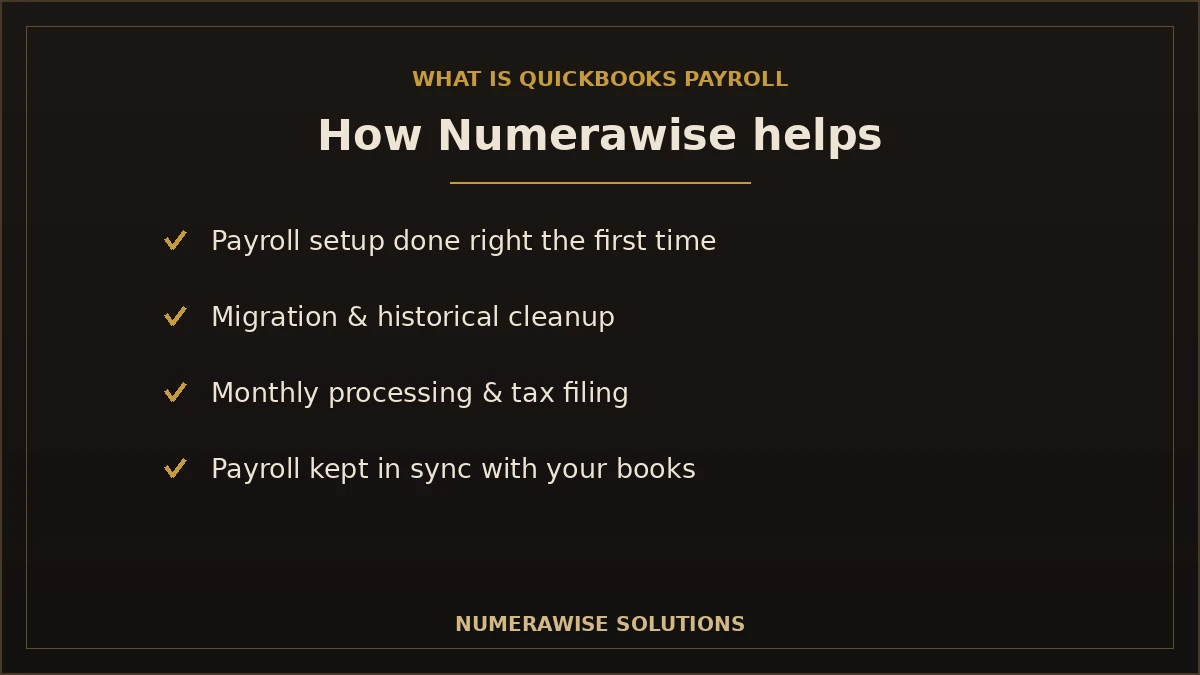
Software is only half the answer — someone still has to set it up correctly and run it right. That is where we come in. Numerawise Solutions offers end-to-end payroll help built around QuickBooks:
- Payroll setup. We configure QuickBooks Payroll correctly — taxes, states, employees, and deductions — so the first run is right.
- Payroll migration. Moving from another provider or from Desktop? We transfer your data and year-to-date figures cleanly.
- Payroll cleanup. We fix misconfigured payroll, wrong tax settings, and messy history.
- Historical payroll correction. We correct prior-period errors so your filings and totals are accurate.
- Payroll bookkeeping. We keep payroll properly recorded in your books, reconciled every month.
- QuickBooks support. Real specialists who know the software, not a generic help line.
- Monthly payroll processing. We run payroll for you, on time, every cycle.
- Payroll tax assistance. We keep filings and deposits accurate and on schedule.
- Bookkeeping. Our bookkeeping services keep the rest of your books clean alongside payroll.
- Outsourced accounting. A full back office through our outsourced accounting services.
If your payroll or books are already tangled, our QuickBooks cleanup and payroll services straighten them out before we take over the monthly run — and if you are moving off Desktop, our QuickBooks Desktop to Online migration handles the transition.
Why choose Numerawise Solutions
- Experienced payroll professionals who handle setup, runs, and compliance every day.
- Affordable pricing with clear quotes and no surprises.
- Fast turnaround so payroll and fixes never hold up your business.
- US businesses supported across states, with multi-state payroll handled.
- Secure data handling — encrypted access and careful treatment of sensitive payroll data.
- QuickBooks experts who know payroll and accounting as one system.
- Dedicated support from a real person who knows your account.
The bottom line: is QuickBooks Payroll right for you?
So, what is QuickBooks Payroll in the end? It is a capable, widely trusted payroll tool that calculates pay, handles taxes, runs direct deposit, and — its biggest edge — connects seamlessly to QuickBooks accounting. For any business that keeps its books in QuickBooks, that integration alone usually makes it the most convenient choice, and its automation removes the errors that cause the most expensive payroll mistakes. It is not perfect: there is a learning curve, an ongoing cost, and deeper HR lives in dedicated platforms. But set up correctly and run consistently, QuickBooks Payroll turns a risky, time-consuming chore into a few reliable minutes each cycle. And if you would rather not run it at all, that is exactly what we are here for.
Request a Free Payroll Consultation
Let Numerawise Solutions set up, run, or clean up your QuickBooks Payroll — accurately, on time, and fully integrated with your books.
Get StartedKey takeaways
- QuickBooks Payroll calculates pay, handles taxes, runs direct deposit, and files forms — integrated with QuickBooks.
- It comes in Core, Premium, and Elite tiers; features (not this quarter’s price) should drive your choice.
- Its biggest advantage is seamless integration with QuickBooks accounting — no double entry.
- Honest cons: a learning curve, subscription cost, and limited advanced HR.
- Setup is where mistakes happen — a payroll professional prevents the errors that trigger penalties.
Quick answers.
What is QuickBooks Payroll?
QuickBooks Payroll is Intuit's payroll software that calculates employee pay, withholds and files payroll taxes, runs direct deposit, and prepares year-end forms — all integrated with QuickBooks accounting. It comes as cloud-based QuickBooks Online Payroll and, for now, QuickBooks Desktop Payroll. Its standout advantage is that payroll flows straight into your books, so there is no double entry or reconciling between two systems.
How much does QuickBooks Payroll cost?
QuickBooks Payroll is priced as a monthly base fee plus a per-employee fee, across three tiers — Core, Premium, and Elite. Higher tiers add features like same-day direct deposit, time tracking, and tax penalty protection. Intuit changes pricing regularly, so check their site for current rates. Choose your plan based on the features you need, not just this quarter's price.
Is QuickBooks Payroll good?
For most small businesses, yes — especially if you already use QuickBooks. It automates tax calculations and filing, runs direct deposit, and integrates seamlessly with your books, which removes the errors that cause the most costly payroll mistakes. It is not the deepest HR platform, and there is a learning curve, but for reliable, integrated payroll it is one of the strongest options available.
Does QuickBooks Payroll file taxes?
Yes. QuickBooks Payroll calculates federal, state, and local payroll taxes using current rates and, on most plans, files the forms and pays the taxes on your behalf, on schedule. The Elite plan even adds protection against certain tax penalties. Automatic tax filing is one of the biggest reasons businesses choose it — it removes the deadline risk that causes IRS penalties.
Can QuickBooks Payroll pay contractors?
Yes. QuickBooks Payroll pays 1099 contractors alongside W-2 employees, tracks their payments, and prepares and files year-end 1099 forms. This makes it a good fit for businesses with a mix of staff and freelancers, since you manage everyone in one place and stay compliant with contractor reporting requirements without a separate tool.
Does QuickBooks Payroll support direct deposit?
Yes. Direct deposit is a core feature. Depending on your plan, employees are paid next day (Core) or same day (Premium and Elite). You can also print checks if you prefer. Reliable, on-time direct deposit is one of the features that keeps employees satisfied, and it removes the hassle of writing and distributing paper checks.
Can accountants access QuickBooks Payroll?
Yes. QuickBooks is built for accountant collaboration, so your CPA or bookkeeper can access payroll and your books in the same file. This makes it easy for a professional to run payroll, review it, or fix issues without you emailing files back and forth. It is one reason CPA firms and bookkeepers favor QuickBooks Payroll for client work.
Can QuickBooks Payroll integrate with bookkeeping?
Integration with bookkeeping is its biggest strength. Because QuickBooks Payroll is built by Intuit, every payroll run posts wages, taxes, and liabilities into your QuickBooks accounting automatically. There is no double entry and no reconciling two systems. Your labor cost stays accurate in your financial statements, and tax season is far smoother because payroll is already in your books.
Can QuickBooks Payroll be outsourced?
Yes. Many businesses have a firm like Numerawise Solutions run QuickBooks Payroll for them. We handle setup, monthly runs, tax filings, and corrections inside your own QuickBooks account, which you keep ownership of. Outsourcing payroll removes the compliance risk and time cost while keeping everything integrated with your books — you get the software's benefits without doing the work yourself.
Is QuickBooks Payroll worth it?
For QuickBooks users, it usually is. The time saved, automatic tax filing, and seamless integration with your books typically outweigh the subscription cost — especially when you factor in the penalties a single payroll mistake can trigger. If you rely heavily on advanced HR features, a dedicated HR platform may serve you better, but for integrated payroll and accounting, it delivers strong value.
What is the difference between QuickBooks Online Payroll and Desktop Payroll?
QuickBooks Online Payroll is the cloud version, run from any browser, and it is where Intuit focuses development. QuickBooks Desktop Payroll is the add-on for the installed Desktop software, and it is being phased out — Desktop 2023 and its payroll services are discontinued after May 31, 2026. For most businesses today, QuickBooks Online Payroll is the practical choice going forward.
How does QuickBooks Payroll handle multi-state employees?
QuickBooks Payroll supports multi-state payroll, calculating the correct taxes for employees who live or work in different states. You will need the right state tax registrations set up, but once configured, it handles the differing withholding and unemployment rules automatically. This matters for remote teams and businesses operating across state lines, where getting state taxes wrong is a common and costly error.
Does QuickBooks Payroll include time tracking?
Time tracking is built into the higher plans (Premium and Elite), letting hourly employees' hours flow straight into payroll without manual timesheets. On the Core plan, you can enter hours manually or add time tracking separately. For businesses with many hourly staff, the built-in time tracking on higher tiers is a meaningful time-saver and reduces entry errors.
What happens to payroll if I switch from Desktop to Online?
Your payroll moves with you, but it needs careful handling — year-to-date totals must transfer accurately so W-2s and taxes stay correct, and payroll is usually re-set up in QuickBooks Online going forward. Planning the switch around a payroll quarter keeps totals clean. A specialist can manage the migration so no filing is disrupted, which is exactly the kind of move we handle for clients.
Can QuickBooks Payroll fix past payroll errors?
The software can correct many prior-period issues, but historical payroll correction is where expertise matters most, because errors affect tax filings and year-end forms. Wrong tax settings, misclassified workers, or missed filings need careful correction to avoid compounding the problem. This is a common reason businesses bring in a payroll professional — to clean up the history correctly before running forward.
Do I need a professional to run QuickBooks Payroll?
Not necessarily — the software is designed to be usable by owners. But the setup and compliance side is where mistakes get expensive, and a professional prevents the wrong tax settings, misclassifications, and missed deadlines that cause penalties. Many businesses run it themselves for simple payroll and bring in a specialist for setup, multi-state work, cleanup, or to outsource the monthly run entirely.
Get a free scoping call.
Tell us what you’re working on. We respond same business day.

Ram · Founder & Principal
Founder of Numerawise Solutions, based in Atlanta. Intuit ProAdvisor Gold tier. Former Intuit Technical Support engineer. Has personally led two hundred accounting software conversions for US small businesses since founding the practice. Reachable directly at [email protected].
Free: The Clean-Cutover Checklist
The step-by-step checklist we use to migrate businesses to QuickBooks without losing data — bank rec, opening balances, payroll YTD, and the validation tie-out. Get it in your inbox.
No spam — just the checklist and the occasional QuickBooks tip.