Sage 200 Cloud Migration with Historical Data Retention
Move to the cloud without losing your financial history. Our Sage 200 Cloud migration with historical data retention preserves, validates, and reconciles your records — with minimal downtime.
Moving to Sage 200 Cloud unlocks anywhere access, automatic updates, and reduced infrastructure overhead. But for finance leaders, one question outweighs the rest: what happens to our historical data? A migration that loses prior-year balances or breaks your audit trail is not an upgrade — it is a liability. That is why Sage 200 Cloud migration with historical data retention is a specialty, not a routine task. The value is in preserving the financial history your business depends on.
Historical financial records are not optional. Auditors expect them, regulators require them, and your own year-over-year analysis relies on them. An incomplete migration — missing transactions, mismatched balances, a broken general ledger — can surface at the worst time, during an audit or a year-end close. Numerawise Solutions approaches every Sage 200 Cloud migration with data integrity, validation, and reconciliation at the center, so you gain the benefits of the cloud without sacrificing the history that keeps your business compliant and informed.
Ready to Migrate to Sage 200 Cloud?
We migrate to Sage 200 Cloud while preserving historical financial data, validating results, and minimizing disruption. Request a free assessment.
Request a Free Migration AssessmentWhat is Sage 200 Cloud migration?
Sage 200 Cloud migration is the process of moving your Sage 200 ERP from an on-premise or older environment into a cloud-based deployment. It is more than copying data — it is a structured project that moves your system, your records, and your users to the cloud while keeping the business running. A complete migration involves:
- Cloud migration overview. Moving your ERP to a cloud environment for anywhere access and reduced infrastructure.
- Moving from on-premise to cloud. Transitioning off local servers to a cloud-hosted Sage 200.
- Data migration. Transferring your financial and operational records into the new environment accurately.
- Configuration. Setting up the cloud system to match your processes and requirements.
- User migration. Moving users, roles, and permissions so your team keeps working.
- Reporting continuity. Ensuring your reports and history carry across so decision-making is uninterrupted.
The defining feature of a well-run migration is that your business does not lose a step. Balances tie out, reports still work, and your team logs into a system that feels familiar — now in the cloud. For the broader service, see our Sage 200 migration services.
Why historical data retention matters
For finance leaders, historical data is not just nice to have — it is foundational. Retaining it properly protects the business in several concrete ways:
- Financial reporting continuity. Your reports need prior periods to be meaningful; a gap breaks the story your numbers tell.
- Audit readiness. Auditors expect a complete, unbroken record; missing history raises immediate questions.
- Compliance requirements. Regulations and retention rules require you to keep financial records for defined periods.
- Year-over-year comparisons. Comparing this year to last is impossible without last year’s data.
- Tax reporting. Accurate historical records support tax filings and stand up to scrutiny.
- Management reporting. Leadership relies on trends, which require history.
- Business intelligence. Analytics and forecasting are only as good as the historical data behind them.
- Decision-making. Sound decisions rest on an accurate, complete financial picture over time.
Lose your history in a migration and you do not just lose data — you lose the ability to report, compare, comply, and decide with confidence. That is why we treat historical data retention as the core objective, not an afterthought.
What historical data can be retained?
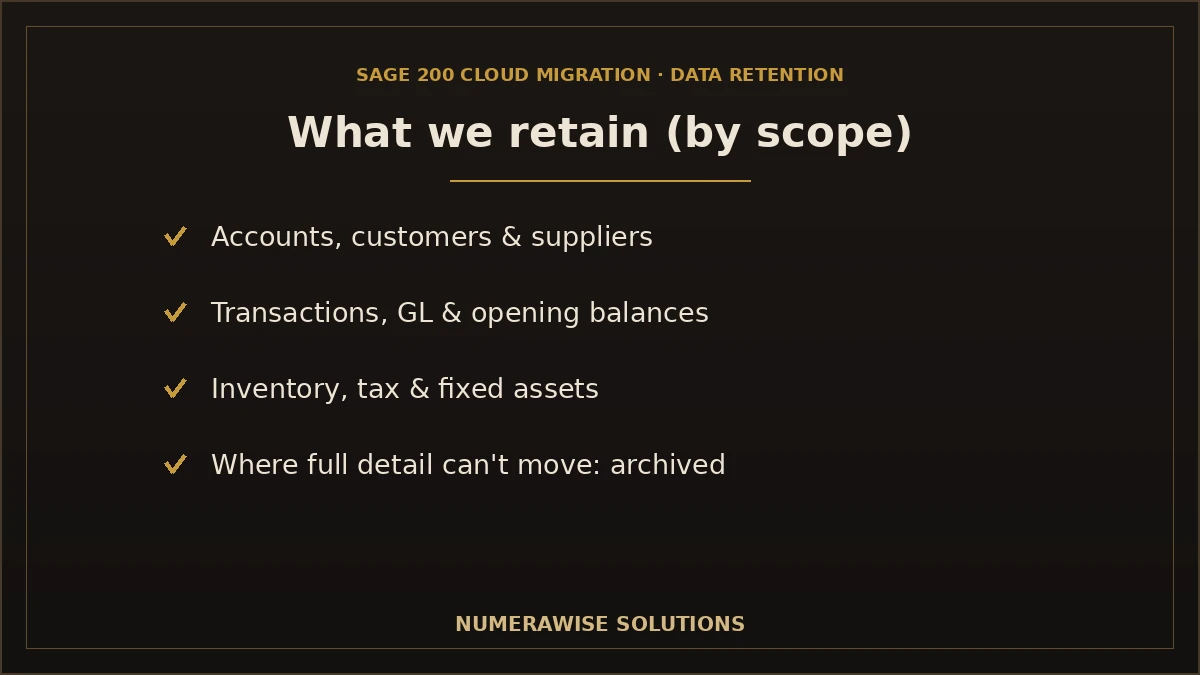
A well-scoped migration can retain a broad range of historical records. However — and this is important — exactly what can be retained depends on your source system, the Sage 200 Cloud version and edition you move to, your customizations, and the project scope. We do not promise that every type of data can always be migrated in full; instead, we assess your situation and tell you honestly what will move, what has limitations, and how we handle each. Here is the typical picture:
| Data | Typically retained? | Notes |
|---|---|---|
| Chart of accounts | Yes | Mapped to the Sage 200 Cloud structure |
| Customers | Yes | With balances and details |
| Suppliers | Yes | With balances and details |
| Products | Yes | Catalog and stock items |
| Inventory | Yes | Quantities and valuations, reconciled |
| Sales orders | Often | Open orders; historical depth by scope |
| Purchase orders | Often | Open orders; historical depth by scope |
| Invoices | Yes | Open and historical, subject to version/scope |
| Credit notes | Yes | Customer and supplier credits |
| Payments | Yes | Applied to the correct documents |
| Bank transactions | Yes | With reconciliation handled carefully |
| Journal entries | Yes | Manual and adjusting entries |
| General ledger | Yes | So your reporting foundation stays intact |
| Opening balances | Yes | Reconciled to the source, to the penny |
| Fixed assets | Often | Where the asset module and scope allow |
| VAT / tax records | Yes | Mapped to Sage 200 Cloud tax configuration |
| Budgets | Sometimes | May require re-entry depending on source |
| Projects | Sometimes | Where the projects module and scope allow |
| Attachments | Where supported | Depends on type, volume, and version |
| Custom fields | Depends | Mapped or recreated where feasible |
An honest note on limitations
Cloud editions of Sage 200 can differ from on-premise in how much historical transactional detail they hold, and some source systems store data in ways that do not map one-to-one. That is not a reason to lose your history — it is a reason to plan. Where full detail cannot move into the live system, we can preserve it through reconciled opening balances, summary migration, or retained read-only archives, so the record is never simply lost. We tell you exactly how each data type will be handled before the project starts.
Our Sage 200 Cloud migration process
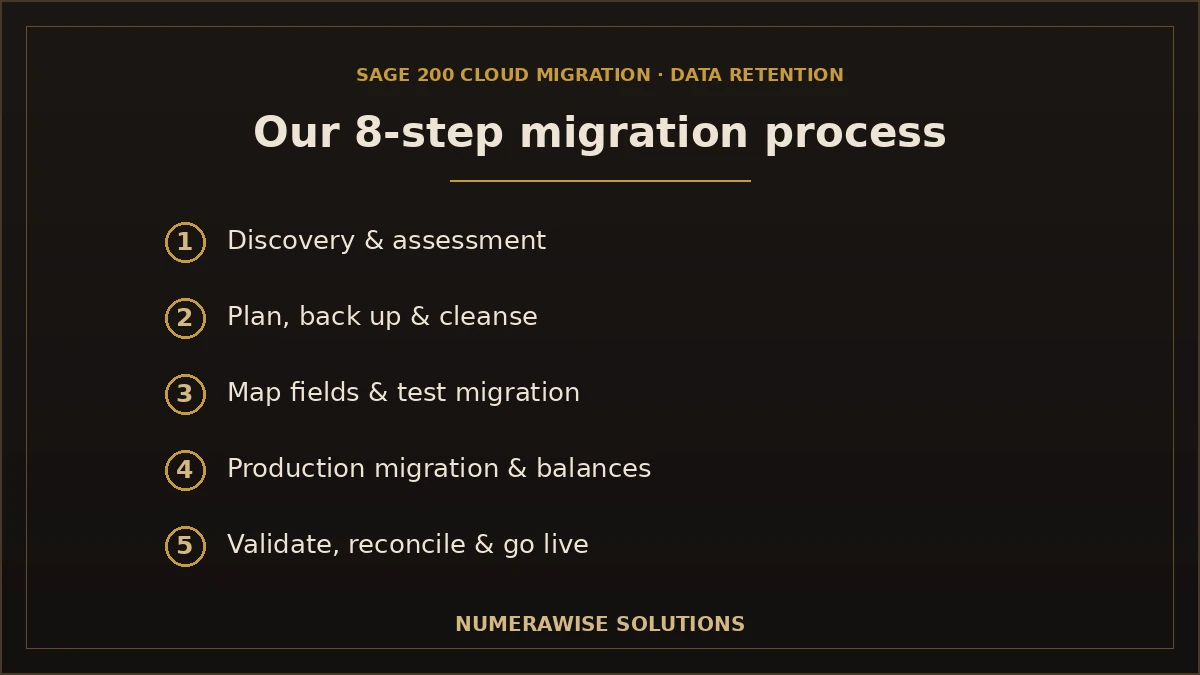
We run every migration as a structured, eight-step framework built around data integrity. Each stage has clear deliverables, and nothing goes live until the numbers are validated.
Step 1: Discovery & assessment
We review your current system, data, customizations, and requirements — and confirm exactly what historical data can be retained.
Step 2: Migration planning
We build a detailed plan: scope, cutover date, responsibilities, and a timeline you can schedule around.
Step 3: Full data backup
We take complete backups of your source data before anything changes, so your originals are always safe.
Step 4: Data cleansing
We fix duplicates, errors, and inconsistencies before migration — clean data in means clean data out.
Step 5: Field mapping
We map every field — accounts, tax codes, customers, products, custom fields — to its correct Sage 200 Cloud equivalent.
Step 6: Test migration
We run a trial migration into a test environment and review the results before touching the live system.
Step 7: Production migration
We migrate your data into Sage 200 Cloud, set opening balances, and configure the environment.
Step 8: Validation, reconciliation & go-live support
We reconcile every balance and record against the source until they tie out, then support your team through go-live.
Why the test migration matters
Running a trial migration first is what protects your historical data. We prove that balances tie out and reports match in a test environment, so when the production migration happens, there are no surprises. Skipping this step is the most common reason migrations lose or corrupt history.
Talk to a Sage 200 Cloud Consultant
From assessment to reconciled go-live, we manage the whole migration so your history is preserved and validated. Request your free assessment.
Request a Free Migration AssessmentMigration scenarios we support
We migrate to Sage 200 Cloud from a range of starting points, each with its own considerations:
- Sage 200 On-Premise to Sage 200 Cloud — the most direct path, moving your existing Sage 200 to the cloud. Pairs with our Sage 200 On-Premise implementation.
- Older Sage 200 versions to the latest Sage 200 Cloud — a version upgrade alongside the cloud move.
- Legacy ERP to Sage 200 Cloud — replacing an aging system, with careful data extraction.
- QuickBooks to Sage 200 Cloud — stepping up from accounting software to a full cloud ERP; see our QuickBooks to Sage migration.
- Sage 50 to Sage 200 Cloud — upgrading within the Sage family; see our Sage 50 to Sage 200 migration.
- Microsoft Dynamics to Sage 200 Cloud — switching ERPs with full data mapping.
- NetSuite to Sage 200 Cloud — migrating from another cloud ERP.
Whatever your starting point, the objective is the same: move to Sage 200 Cloud with your historical data intact, validated, and reconciled.
Common migration challenges — and how we handle them
Migrations that lose history usually hit the same predictable problems. We plan for and resolve each:
| Challenge | How we handle it |
|---|---|
| Historical balance mismatches | Reconcile opening balances and the general ledger to the source, to the penny |
| Duplicate records | Identified and removed during cleansing, before migration |
| Missing transactions | Validation against the source confirms nothing is lost |
| Inventory discrepancies | Stock quantities and valuations reconciled across the systems |
| Custom reports | Rebuilt in Sage 200 Cloud; underlying data migrates |
| Custom modules | Assessed and migrated or rebuilt where feasible |
| Third-party integrations | Reconnected or rebuilt so connected systems keep working |
| User permissions | Roles and permissions re-established in the cloud |
| Large databases | Migrated in a structured, tested way that handles volume |
| Downtime concerns | Planned cutover and, where possible, parallel-run to minimize disruption |
Each of these is far cheaper to prevent than to fix after go-live. Our assessment surfaces them early, and our cleansing, testing, and validation steps resolve them — so they never threaten your historical record.
How we preserve historical data
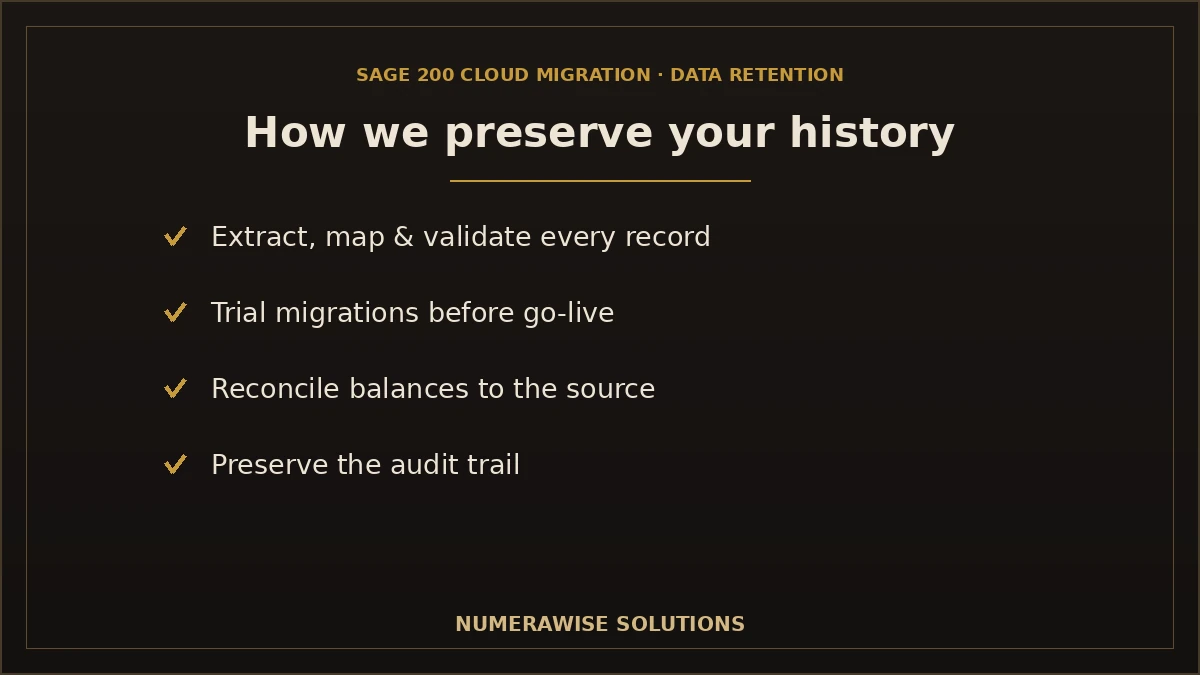
Preserving history is not a single step — it is a discipline that runs through the whole project. Here is how we protect your financial record at every stage:
- Data extraction. We extract your data safely and completely from the source system.
- Data mapping. We map every record and field to its correct Sage 200 Cloud equivalent.
- Validation. We verify that migrated data is complete and accurate against the source.
- Trial migrations. We test the migration in a safe environment before going live.
- Reconciliation. We reconcile balances — trial balance, A/R, A/P, bank, inventory — until they tie out.
- Audit trails. We preserve or re-establish the audit trail so your record stays defensible.
- Opening balance verification. We confirm opening balances match the source exactly.
- Report comparison. We compare key reports before and after to confirm continuity.
- User acceptance testing. Your team confirms the data and reports are right before go-live.
Data integrity is the whole point
A cloud migration that loses even a small part of your financial history has failed at the one thing that matters most to a finance leader. Every step of our process exists to make sure that does not happen — and validation, not optimism, is how we prove it.
Sage 200 Cloud vs. on-premise: what changes
Moving to the cloud changes how Sage 200 is accessed and maintained, more than what it does day to day. In the cloud, you gain access from anywhere, automatic updates, and reduced infrastructure to manage — your IT team no longer maintains local servers for the application. What stays the same is the core capability: finance, inventory, sales, and purchasing continue to work as your team knows them. The main consideration for finance leaders is how historical data is held, since cloud editions can differ from on-premise in how much transactional detail they retain. That is precisely why we scope historical retention explicitly for your target version, so the move to the cloud never quietly costs you history you assumed would come along.
Multi-company migrations to Sage 200 Cloud
For organizations running several entities, multi-company migration adds an important layer. Each company’s data must be migrated and reconciled individually, while consolidation and cross-company reporting have to work correctly afterward. We structure multi-company migrations so entities stay cleanly separated, inter-company balances are handled properly, and group reporting is intact once you are live. This is common for finance directors overseeing multiple subsidiaries, and it is exactly the kind of complexity our assessment and planning stages are built to manage — so no entity’s history is lost or mixed with another’s.
Preserving your audit trail
The audit trail — the record of who did what and when, and how each balance was arrived at — is one of the most important things to protect in a migration. Auditors and regulators rely on it, and a broken trail can turn a routine audit into a difficult one. We preserve or re-establish the audit trail as part of every migration: opening balances are documented and tied to the source, migrated transactions are traceable, and where historical detail is summarized or archived rather than moved in full, that decision is documented so the record remains complete and defensible. A cloud migration should strengthen your compliance position, not weaken it.
Migration timeline
Every migration is different, and actual timelines vary based on data volume, customizations, integrations, and how much historical detail you retain. As a general guide, here is what to expect by business size:
| Business size | Example timeline | What is involved |
|---|---|---|
| Small business | A few weeks | Core finance, modest data, straightforward retention |
| Medium business | One to two months | Multiple modules, more history, some integrations |
| Large enterprise | Two to four months or more | Complex data, customizations, multi-company, heavy history |
These are examples, not fixed schedules — a large enterprise with clean data may move faster than a small business with a messy legacy system. Most of the timeline goes to assessment, cleansing, testing, and validation, which is the work that protects your history. We provide a realistic, specific timeline in the planning stage so you can schedule the project around your business calendar, including a quiet period for go-live.
DIY vs. professional migration
Some businesses consider an in-house migration to save cost. For a move where your entire financial history is at stake, that is a significant risk. The honest comparison:
| Factor | DIY migration | Numerawise Solutions |
|---|---|---|
| Planning | Ad hoc, often incomplete | Structured framework with sign-offs |
| Historical data preservation | At risk | Validated and reconciled to the source |
| Risk | High | Managed and mitigated |
| Downtime | Often significant | Minimized with a planned cutover |
| Testing | Limited | Full test migration & UAT |
| Support | In-house only | Dedicated project manager |
| Validation | Frequently skipped | Balance-by-balance reconciliation |
| Compliance | Uncertain | Audit trail and records preserved |
The real risk of DIY is not that the migration fails outright — it is that it appears to succeed while historical data is incomplete or balances are subtly wrong, surfacing during an audit or year-end. Professional migration removes that risk, and for your financial record, that certainty is worth far more than the cost.
Pre-migration checklist
A successful, history-preserving migration follows a clear checklist. Here is the core of what we work through:
- ☐ Confirm what historical data can be retained for your source and target
- ☐ Reconcile source accounts up to the cutover date
- ☐ Decide how much history to migrate versus archive
- ☐ Cleanse the source data before migration
- ☐ Save key reports as your validation benchmark
- ☐ Take a full backup of the source
- ☐ Run a test migration and validate the results
- ☐ Reconcile every balance before go-live
- ☐ Confirm reports match before and after
- ☐ Plan go-live and post-migration support
How much does a Sage 200 Cloud migration cost?
There is no flat rate, because scope varies widely. Cost tracks your data volume and quality, the number of modules and integrations, the customizations involved, how much historical detail you retain, and the complexity of your source system. A small business moving core finance is a defined project; a large multi-company enterprise with heavy history and custom modules is a larger one. We assess your systems and data first, then quote based on what the work actually requires — never a guess. Weighed against the cost of lost historical data, a failed audit, or operational downtime, professional migration is the lower-risk and often lower-total-cost path.
Data security and business continuity
Your financial data is sensitive, and a migration is exactly when to handle it carefully. We take full backups before anything changes, use secure and encrypted transfer, and restrict access to the specialists on your project. Your original system stays intact as a fallback until Sage 200 Cloud is verified and complete. Business continuity is equally important: we plan cutover for a low-impact window and, where possible, keep your existing system available in parallel until the new one is proven — so you keep operating throughout. You should never have to choose between moving to the cloud and keeping your business running; a well-planned migration delivers both.
Post-migration best practices
Go-live is a milestone, not the finish line — especially where historical data is concerned. In the weeks after launch, we recommend and support several practices: reconcile the first period-end close carefully to confirm the history carried across correctly; keep the source system accessible read-only for reference and audit; run key reports and compare them to pre-migration versions; keep training available as users encounter new scenarios in the cloud; and establish a clear channel for ongoing support and enhancements. We stay engaged through this period so your team is confident the migration truly succeeded — not just that data moved, but that your financial record is complete, accurate, and reconciled.
Why choose Numerawise Solutions
- ERP migration specialists who understand both the data and the business behind it.
- Sage expertise across Sage 200 and the wider Sage family.
- Accounting data specialists — we know the numbers, so your books reconcile.
- A secure migration methodology with backups, encrypted transfer, and controlled access.
- Minimal downtime through careful planning and phased cutover.
- A dedicated project manager who owns your migration end to end.
- Post-go-live support through the transition and beyond.
- Training so your team is confident on the new cloud system.
Beyond the migration, our bookkeeping services and ERP and accounting software migration can keep your finance operation running smoothly once Sage 200 Cloud is live, so one team supports your whole back office.
Migrate to Sage 200 Cloud without losing your history
The cloud brings real advantages — access, updates, and lower infrastructure overhead — but for a finance leader, none of them are worth losing your financial history. A proper Sage 200 Cloud migration with historical data retention gives you both: the benefits of the cloud and a complete, validated, reconciled record of your business. The key is a process built around data integrity, honest scoping of what can and cannot be retained, thorough testing, and reconciliation that proves the numbers before you go live. Numerawise Solutions brings exactly that — ERP and accounting expertise focused on preserving your history while minimizing disruption. Migrate to Sage 200 Cloud with a partner who treats your financial records with the care they deserve.
Ready to Migrate to Sage 200 Cloud?
Preserve your historical financial data, validate every result, and minimize disruption. Request your free Sage 200 migration assessment today.
Request a Free Migration AssessmentKey takeaways
- Sage 200 Cloud migration with historical data retention moves you to the cloud while preserving your financial history.
- What can be retained depends on your source system, Sage 200 Cloud version, customizations, and scope — we scope it honestly.
- Our eight-step framework centers on data integrity, with a test migration and full reconciliation.
- We preserve history through validation, reconciliation, audit trails, and opening-balance verification.
- Where full detail cannot move, we retain it through reconciled balances, summaries, or archives — never simply lost.
Quick answers.
Can all historical data be migrated to Sage 200 Cloud?
Not always in full, and any provider who promises otherwise is overstating it. What can be retained depends on your source system, the Sage 200 Cloud version and edition, your customizations, and project scope. We assess your situation and tell you honestly what will move completely, what has limitations, and how we handle the rest — through reconciled balances, summaries, or read-only archives — so your record is never simply lost.
How many years of historical data can be retained?
It depends on the source system and the Sage 200 Cloud edition you move to, since cloud editions can differ in how much transactional detail they hold. Many businesses retain several years of history, but the exact depth is confirmed during assessment. Where the live system cannot hold full detail for older periods, we preserve that history through reconciled opening balances or retained archives so it remains available.
Will my reports remain accurate after migration?
Your financial position carries across, so the numbers are accurate; report layouts may differ and are rebuilt in Sage 200 Cloud's format. We compare key reports before and after migration to confirm continuity, and we reconcile every balance to the source. If a report total does not match, that signals validation is unfinished, which we resolve before go-live. The goal is reporting continuity you can trust from day one.
Can custom fields be migrated to Sage 200 Cloud?
It depends on the field and the target system. Many custom fields can be mapped or recreated in Sage 200 Cloud, but some may not map one-to-one depending on how they were built and what the cloud edition supports. We assess your custom fields during discovery and tell you which will migrate directly, which need recreation, and which have limitations, so there are no surprises at go-live.
How long does a Sage 200 Cloud migration take?
It varies with complexity. A small business moving core finance can take a few weeks; a medium business with multiple modules and more history takes one to two months; and a large enterprise with complex data and customizations can take two to four months or more. Most of the time goes to assessment, cleansing, testing, and validation — the work that protects your historical data. We give a specific timeline in planning.
Is downtime required during migration?
Some transition is involved, but we plan to minimize downtime. We schedule cutover for a low-impact window and, where possible, keep your existing system available in parallel until Sage 200 Cloud is proven, so you keep operating throughout. The goal is a smooth switch with minimal disruption rather than a shutdown. We confirm the cutover approach during planning so you know exactly what to expect.
Can QuickBooks migrate to Sage 200 Cloud?
Yes. Businesses stepping up from QuickBooks to a full cloud ERP commonly migrate to Sage 200 Cloud. We move your chart of accounts, customers, suppliers, transactions, and balances, map them to Sage 200 Cloud's structure, and reconcile opening balances to QuickBooks so your new books tie out. As specialists in both systems, we handle QuickBooks-to-Sage migrations as part of the project.
How is data validated during migration?
We validate by reconciling the migrated data against the source — trial balance, accounts receivable, accounts payable, bank balances, and inventory — until they tie out exactly, and by comparing key reports before and after. Your team also confirms the data through user acceptance testing. A migration is not finished when data lands in Sage 200 Cloud; it is finished when the numbers are proven against the source.
Do you provide post-migration support?
Yes. We support your team through go-live and the critical first period, help reconcile the first period-end close to confirm history carried across correctly, keep training available, and provide an ongoing channel for support and enhancements. We stay engaged so you are confident the migration truly succeeded — not just that data moved, but that your financial record is complete and reconciled.
What happens if some data cannot be migrated in full?
We plan for it rather than lose it. Where the live Sage 200 Cloud system cannot hold full historical detail — for example, older transactional data on certain editions — we preserve that history through reconciled opening balances, summary migration, or a retained read-only archive of the source. The record remains available for audit and reference. We document how each data type is handled before the project starts.
Can you migrate from an older Sage 200 version?
Yes. Moving from an older Sage 200 version to the latest Sage 200 Cloud is a common scenario that combines a version upgrade with the cloud move. We handle the database and configuration changes required, migrate and reconcile your data, and test thoroughly before go-live. Custom modules built for an older version are assessed and migrated or rebuilt where feasible for the new environment.
How do you preserve the audit trail?
We preserve or re-establish the audit trail as part of every migration. Opening balances are documented and tied to the source, migrated transactions remain traceable, and where historical detail is summarized or archived rather than moved in full, that decision is documented so the record stays complete and defensible. A cloud migration should strengthen your compliance position, and preserving the audit trail is central to that.
Can you handle multi-company migrations?
Yes. For organizations with several entities, we migrate and reconcile each company individually while making sure consolidation and cross-company reporting work correctly afterward. Entities stay cleanly separated, inter-company balances are handled properly, and group reporting is intact once you are live. Multi-company complexity is exactly what our assessment and planning stages are built to manage, so no entity's history is lost or mixed.
Will I lose access to my old system during migration?
No. You keep using your existing system until the migration is complete and validated. We work from backups and copies, and your live system stays available throughout. Only once Sage 200 Cloud is reconciled and you have confirmed everything is correct do you switch over. Where possible we keep the old system accessible read-only afterward for reference and audit. This keeps your business running with no gap.
How do you make sure balances tie out?
We reconcile opening balances and the general ledger to your source system, to the penny, and validate accounts receivable, accounts payable, bank, and inventory balances. We also compare key reports before and after. Balances that do not match are investigated and resolved before go-live. This reconciliation is the proof that your historical data migrated correctly — it is the core of a history-preserving migration.
What are the benefits of moving Sage 200 to the cloud?
Cloud deployment gives you access from anywhere, automatic updates, and reduced infrastructure to manage, since your IT team no longer maintains local application servers. The core Sage 200 capabilities stay the same. The main consideration for finance leaders is how historical data is retained, which we scope explicitly — so you gain the cloud benefits without quietly losing history you assumed would come along.
Do you clean up data before migrating?
Yes. Data cleansing is a built-in stage of our process. We fix duplicates, errors, and inconsistencies before migration, because migrating clean data is far cheaper than fixing it in the live cloud system afterward. Cleansing also protects your historical record — you do not want to carry old errors into a new system. If your source data is significantly messy, cleansing is a defined phase of the project.
Can Sage 200 Cloud integrate with our other systems?
Yes. Sage 200 Cloud can connect to ecommerce, CRM, payments, and reporting tools. During migration we identify every integration your current setup relies on and reconnect or rebuild it in the cloud environment, testing that data flows correctly before go-live. Broken integrations are a common source of go-live problems, so we handle them deliberately as part of the project scope.
How much does a Sage 200 Cloud migration cost?
There is no flat rate, because scope varies widely. Cost depends on data volume and quality, the number of modules and integrations, customizations, how much history you retain, and the complexity of your source system. We assess your systems first and quote based on what the work actually requires, never a guess. Against the cost of lost historical data, a failed audit, or downtime, professional migration is the lower-risk path.
Is my financial data secure during migration?
Yes. We take full backups before anything changes, use secure and encrypted transfer, and restrict access to the specialists on your project. Your original system stays intact as a fallback until Sage 200 Cloud is verified and complete, and you retain ownership throughout. For finance leaders with compliance obligations, this controlled, documented process is essential, and it is built into every stage of our work.
Why choose Numerawise Solutions for a Sage 200 Cloud migration?
Because we combine ERP migration skill with accounting-data expertise, focused on preserving your history. We scope historical retention honestly, run a test migration, reconcile every balance to the source, preserve the audit trail, and support you through go-live. Many providers are pure IT firms; we understand the numbers, so your books reconcile and your financial record stays complete, accurate, and defensible after the move to the cloud.
Get a free scoping call.
Tell us what you’re working on. We respond same business day.

Ram · Founder & Principal
Founder of Numerawise Solutions, based in Atlanta. Intuit ProAdvisor Gold tier. Former Intuit Technical Support engineer. Has personally led two hundred accounting software conversions for US small businesses since founding the practice. Reachable directly at [email protected].
Free: The Clean-Cutover Checklist
The step-by-step checklist we use to migrate businesses to QuickBooks without losing data — bank rec, opening balances, payroll YTD, and the validation tie-out. Get it in your inbox.
No spam — just the checklist and the occasional QuickBooks tip.